Work with web analytics basics
Use Creatio web analytics to track and analyze the behavior of real users on your website. Monitor form submissions, outbound link clicks, site searches, and other activities. This data helps you understand user engagement patterns and optimize your web presence.
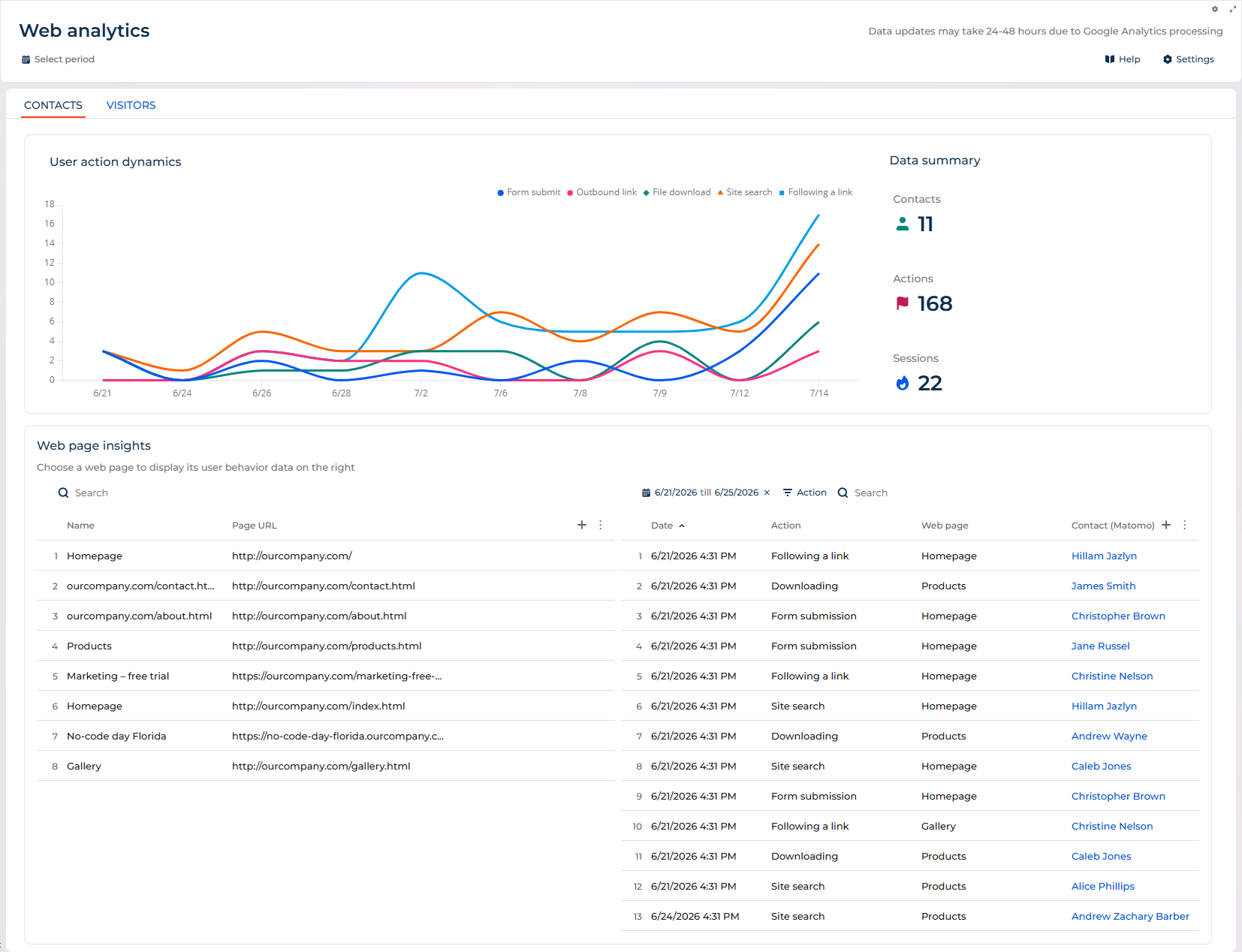
You can view web analytics in the Web analytics app. This app displays dynamic data about user interactions and provides detailed page-level insights.
Tracking solutions
Creatio offers multiple ways to collect data shown in the Web analytics section:
- Native live web tracking captures visitor activity on Creatio landing pages and on external websites you connect. It records the activity in near real time and links it to a contact once the visitor is identified. Learn more: Live web tracking, Connect an external website to live web tracking.
- Google Analytics collects data from landing pages designed in Creatio or from external landing pages. Learn more: Use Google Analytics on landing pages designed in Creatio, Use Google Analytics on external landing pages.
- Matomo collects data from external landing pages. Learn more: Matomo tracking solution.
You can use only one tracking tool to collect data from Creatio landing pages at a time.
The Data summary area
Field | Description |
|---|---|
Contacts | The total number of unique contacts who performed tracked actions on your website. |
Actions | The total number of tracked user interactions with your website. |
Sessions | The total number of unique user sessions during which actions were performed. |
The User action dynamics area
Field | Description |
|---|---|
Form submit | The number of form submissions tracked across your website pages. |
Outbound link | The count of clicks on links that lead to external websites. |
File download | The number of times users downloaded files from your website. |
Site search | The count of internal search queries performed by users. |
The Web page insights area
Field | Description |
|---|---|
Page URL | The full URL of the webpage where the action occurred. |
Action | The type of interaction performed by the user on this page. |
Date | Timestamp when the action was performed. |
Contact | The contact associated with this action, if identified. |