Runtime in Creatio AI Studio
When agents serve real users, you need to release changes to them safely, see what they are doing, keep their consumption within predictable limits, and account for every action after the fact. The Runtime section of Creatio AI Studio groups the sections that cover this operational side. They control where agents run, monitor how they execute, meter what they consume, and record what happens on the platform.
Environments and deployments
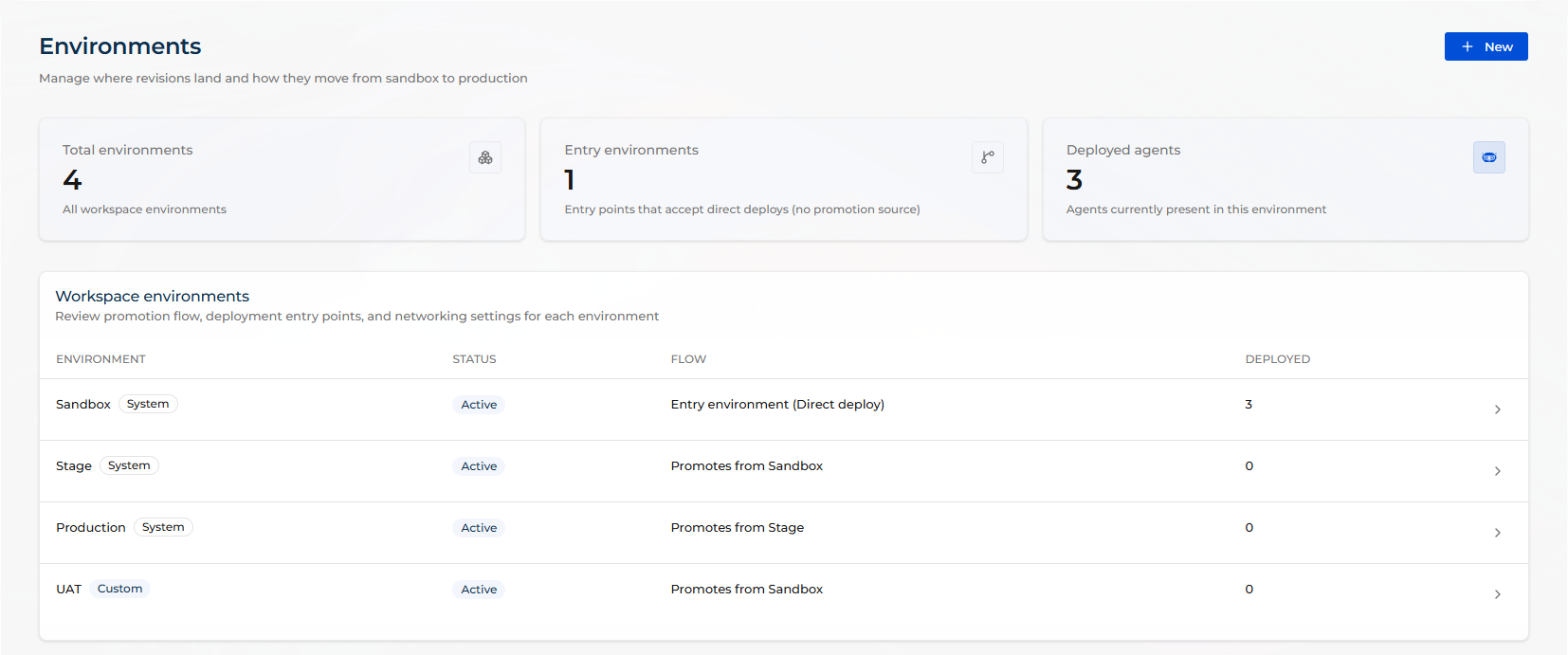
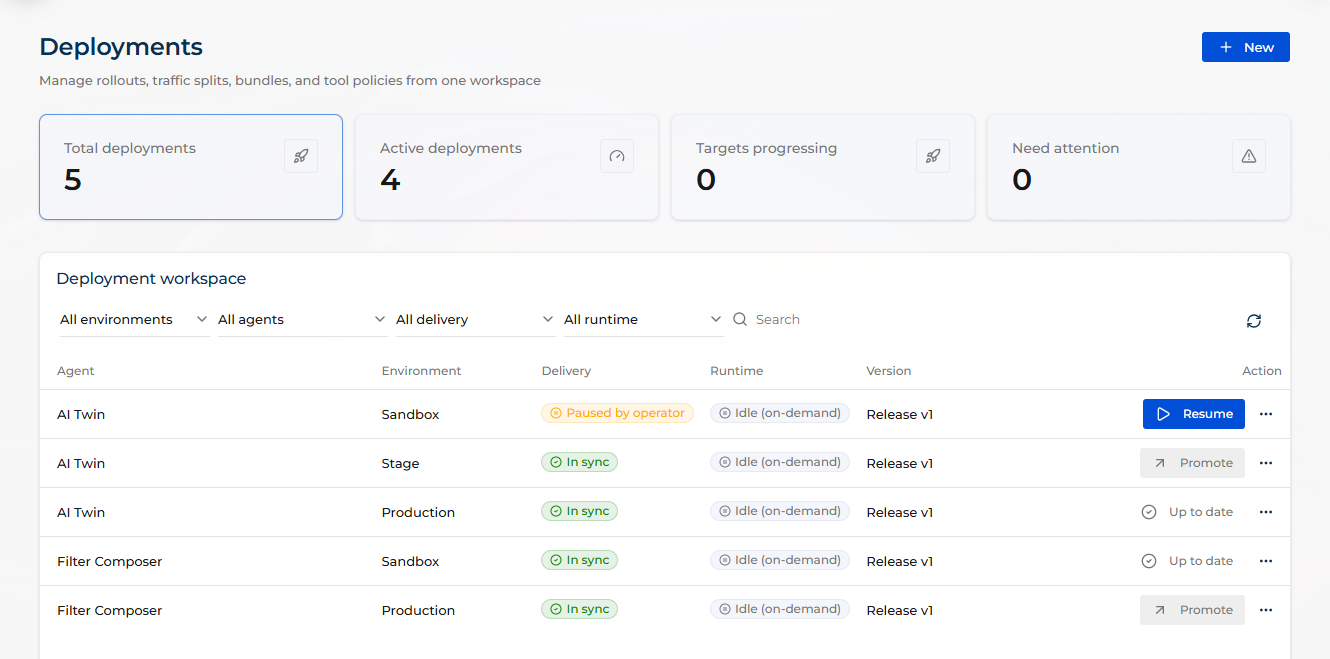
Agents do not serve end users straight from the designer. As a creator, you first publish and deploy an agent version, then promote it forward as it proves itself. By default, every workspace has three environments: Sandbox, Stage, and Production. An environment that promotes from nowhere is an entry environment and accepts a direct deploy, which out of the box means Sandbox; Stage and Production receive a version by promotion, one step at a time. A custom environment you create is an entry environment too, unless you give it a Promotes from. The Environments section lists them all. Publishing happens in the agent editor, and the Deployments section tracks the rollouts across every agent and environment, so you can see what is running where and roll a version back if something goes wrong. This lets you test agent changes safely, without touching the version your end users rely on.
Observability
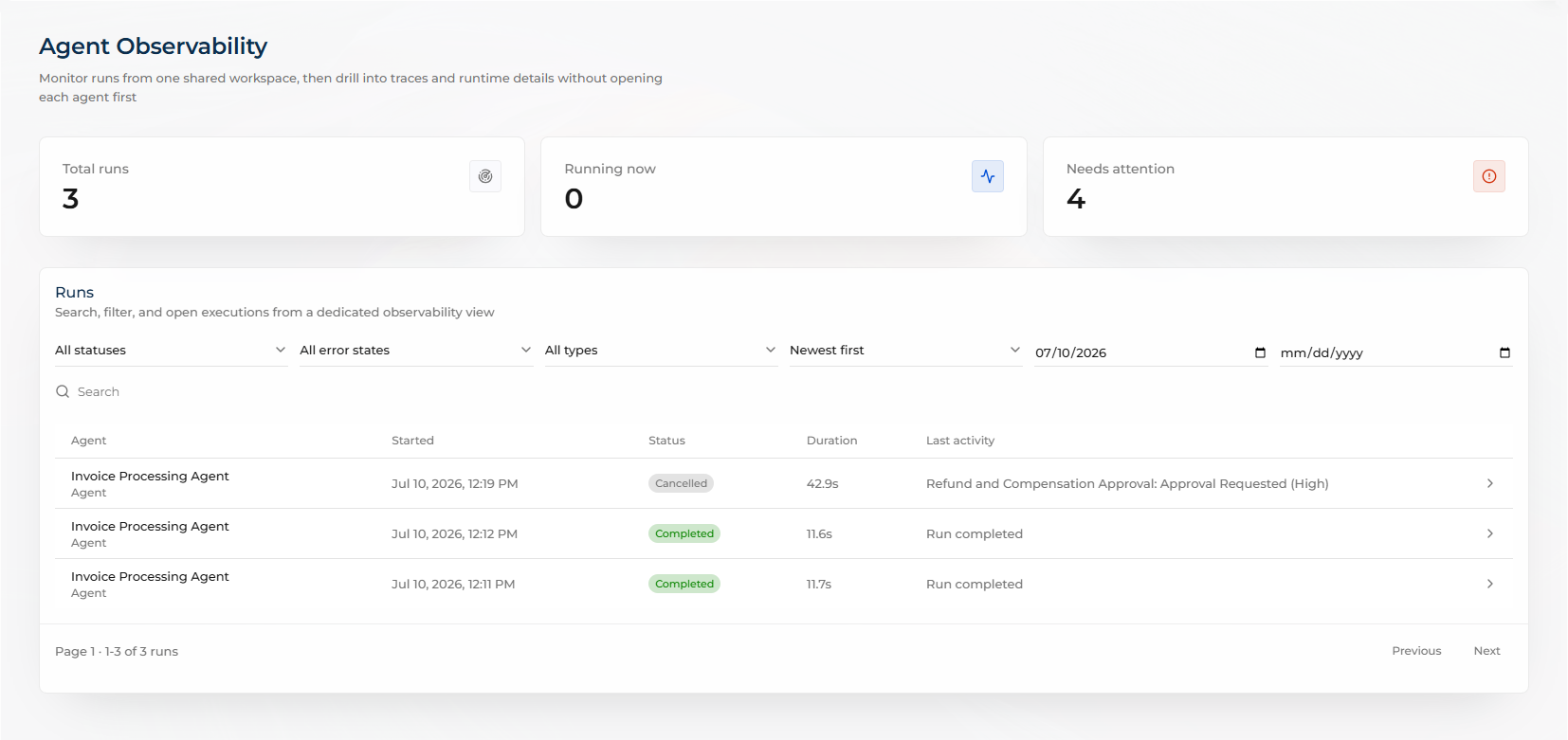
When an agent fails or behaves unexpectedly, this is where you find out why instead of guessing. Each request an agent processes is recorded as a run. The Observability section shows runs across all agents in one place, with counters for Total runs, Running now, and Needs attention. Open a run to inspect its execution step by step: the input it received, the output it produced, the tool and LLM calls it made, and the policy events that fired along the way.
Usage and budgets
The Usage analytics page meters what your agents consume. Creatio AI Studio meters consumption in AI credits by default, or in tokens where an administrator selected that unit in the Usage unit setting. The AI Credits remaining card shows your organization's remaining subscription quota each time the page loads, and reads Tokens remaining when usage is measured in tokens. The dashboard shows consumption over time and breaks it down by agent and by model, so you can tell steady growth apart from a sudden anomaly and identify the agent behind it. It also tracks utilization against each budget you configure and warns you once usage reaches the warning threshold, before agents are stopped rather than after.
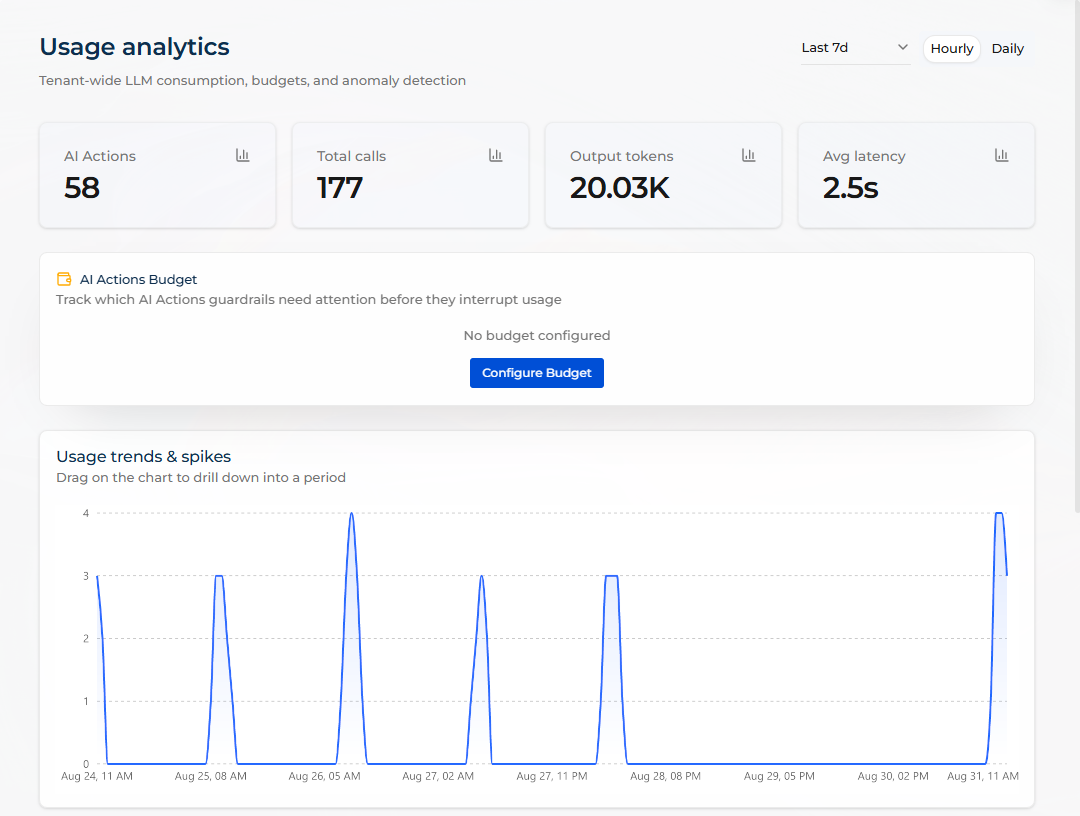
A budget caps how much agents can consume within a time window before Creatio AI Studio warns you or blocks further requests. You can set a budget for the whole workspace, and an agent budget on top of it for an individual agent. Every budget that applies is enforced, so an agent budget tightens the workspace cap for that one agent and can never lift it above the cap.
Learn more: Set a usage budget or spending limit.
Audit log
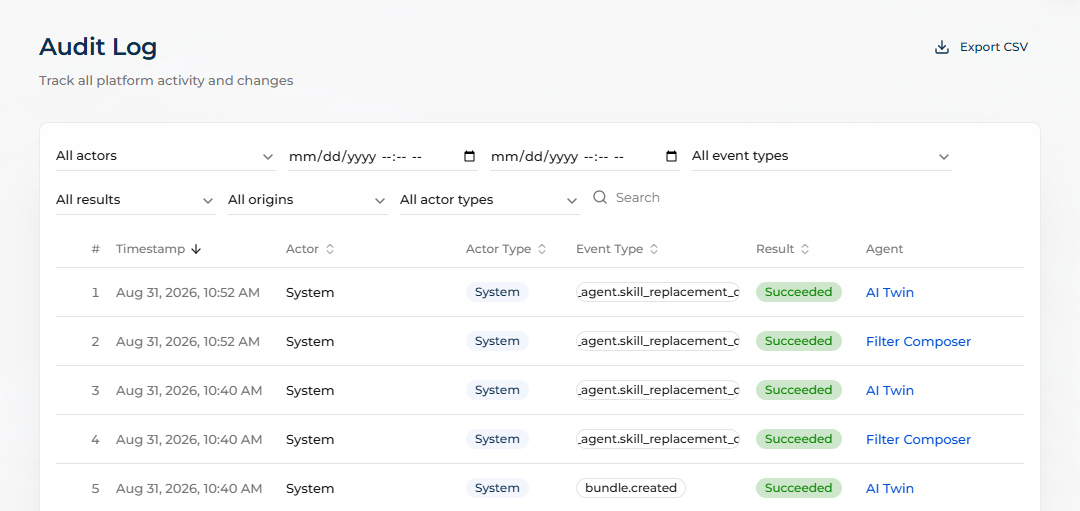
The Audit Log section records platform activity and changes: who performed an action, when, through which channel, and whether it succeeded. It complements Observability. Runs tell you what an agent did, the audit log tells you what people and services did to the platform. Use it to support compliance reviews and to reconstruct the sequence of changes behind an incident.