Legal entity application form page
This article covers the UI of the application form for legal entity applicants.
Legal entity and application information
The top section of the form provides essential details about the application form and associated legal entity. It includes the following fields:
Field name | Description |
|---|---|
Legal entity | The company for which the application form is being created. |
Participant role | Specifies the legal entity's role in the context of the application. |
Status | Current status of the form, for example, "Draft," "Submitted," "Cancelled." |
Opportunity | The linked commercial opportunity if it exists. |
Application | The associated application record if it exists. Determines if manual actions are available. |
The legal entity application form has no Parent application form field, as it is never derived from another application form.
Identification documents
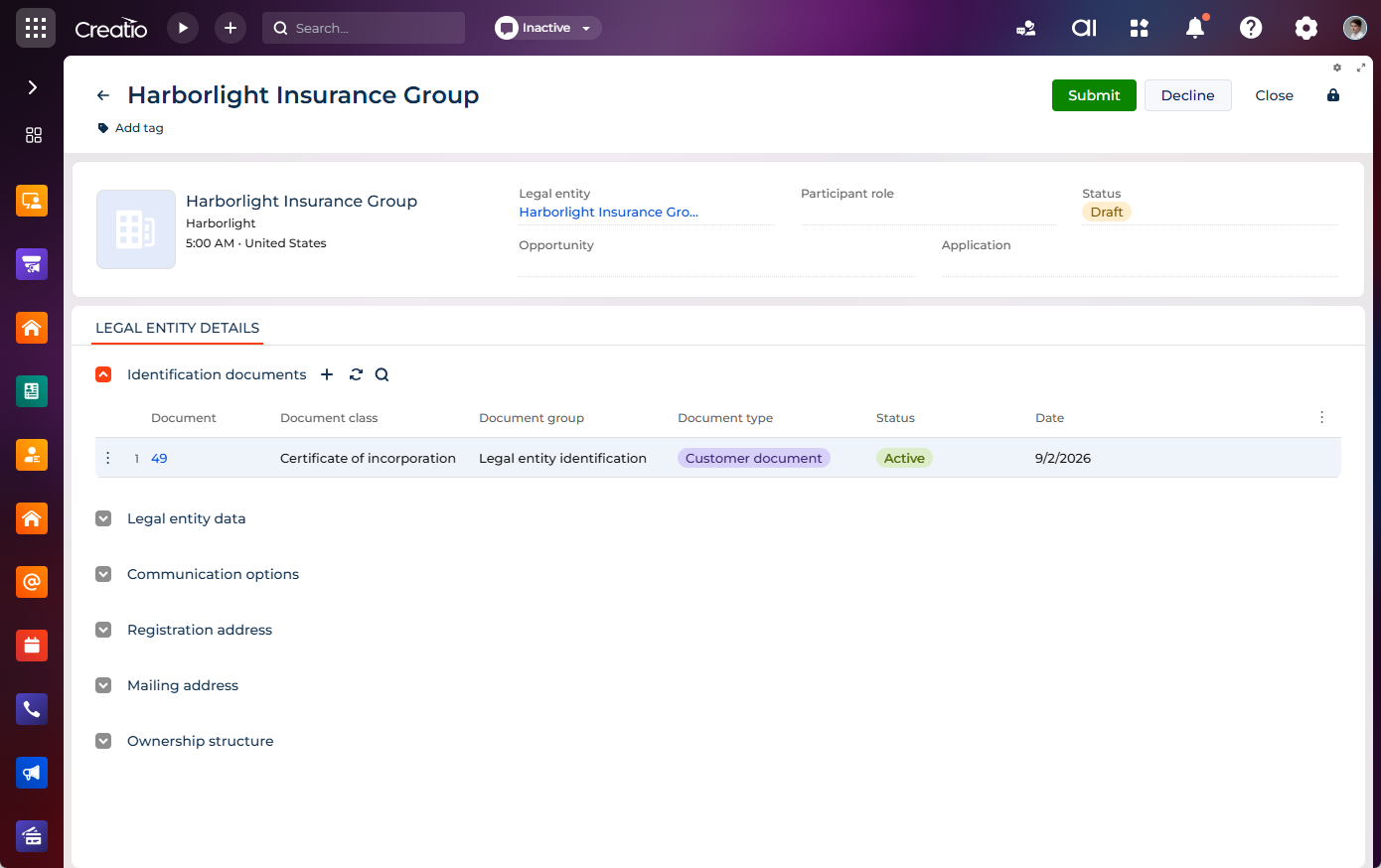
The Identification documents expanded list stores the company's registration and identification documents used for verification and KYB compliance.
Supported document classes:
- certificate of incorporation
- EIN confirmation
The block displays the following columns:
- "Document"
- "Document class"
- "Document group"
- "Document type"
- "Status"
- "Date"
Legal entity data
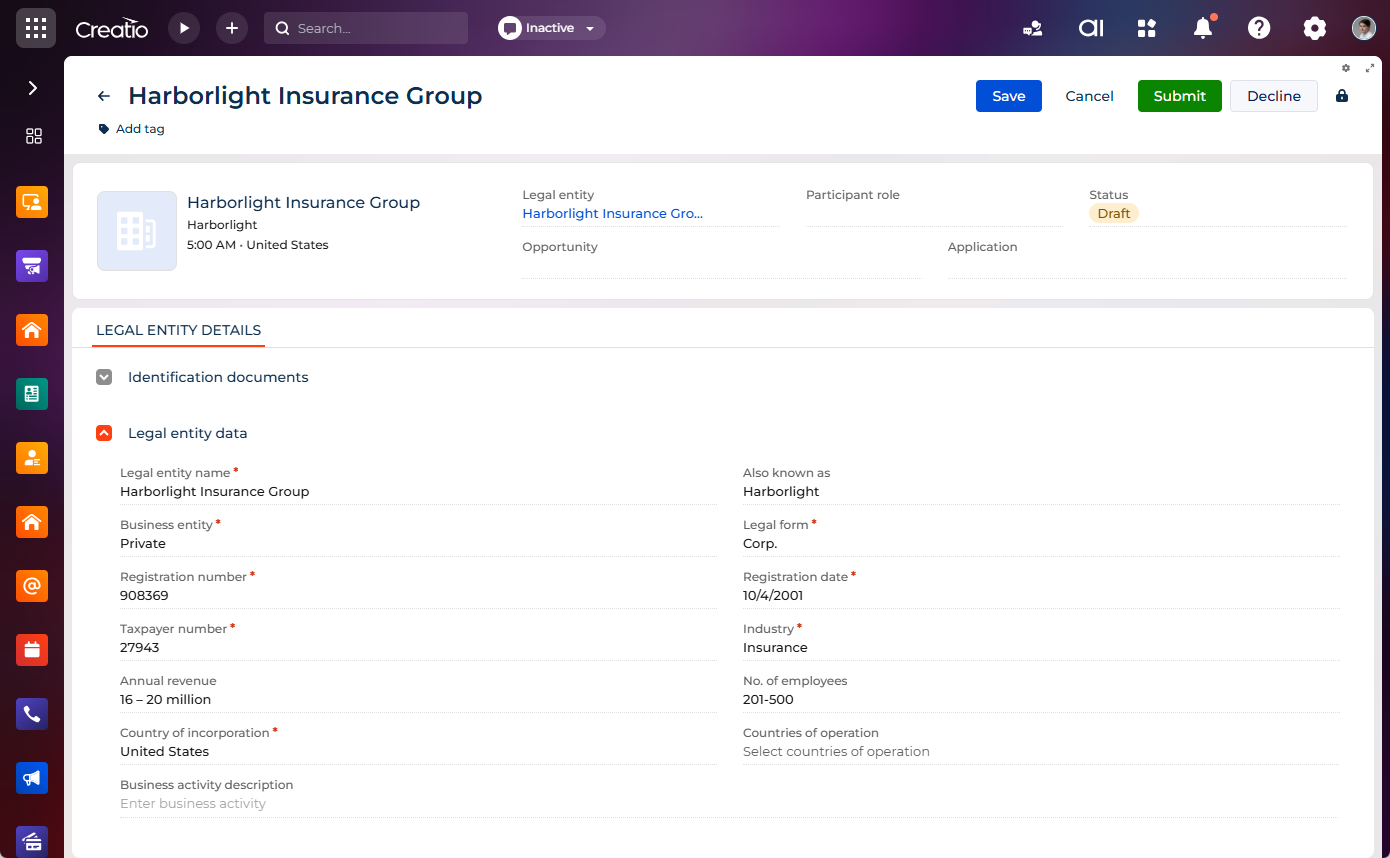
The Legal entity data expansion panel collects the company's registration, classification, and business profile information. It includes the following fields:
Field name | Description |
|---|---|
Legal entity name | Registered legal name of the company. |
Also known as | Alternative or trade name of the company. |
Business entity | The ownership type of business entity, for example, "Mixed" or "Private." |
Legal form | Legal form of the company, for example, "LLP," "Corp." |
Registration number | Official company registration number. |
Registration date | Date the company was registered. |
Taxpayer number | Company's taxpayer identification number. |
Industry | Industry in which the company operates. |
Annual revenue | Company's annual revenue. |
No. of employees | Number of employees in the company. |
Country of incorporation | Country where the company is incorporated. |
Countries of operation | Jurisdictions where the company operates. |
Business activity description | Description of the company's business activity. |
Communication options
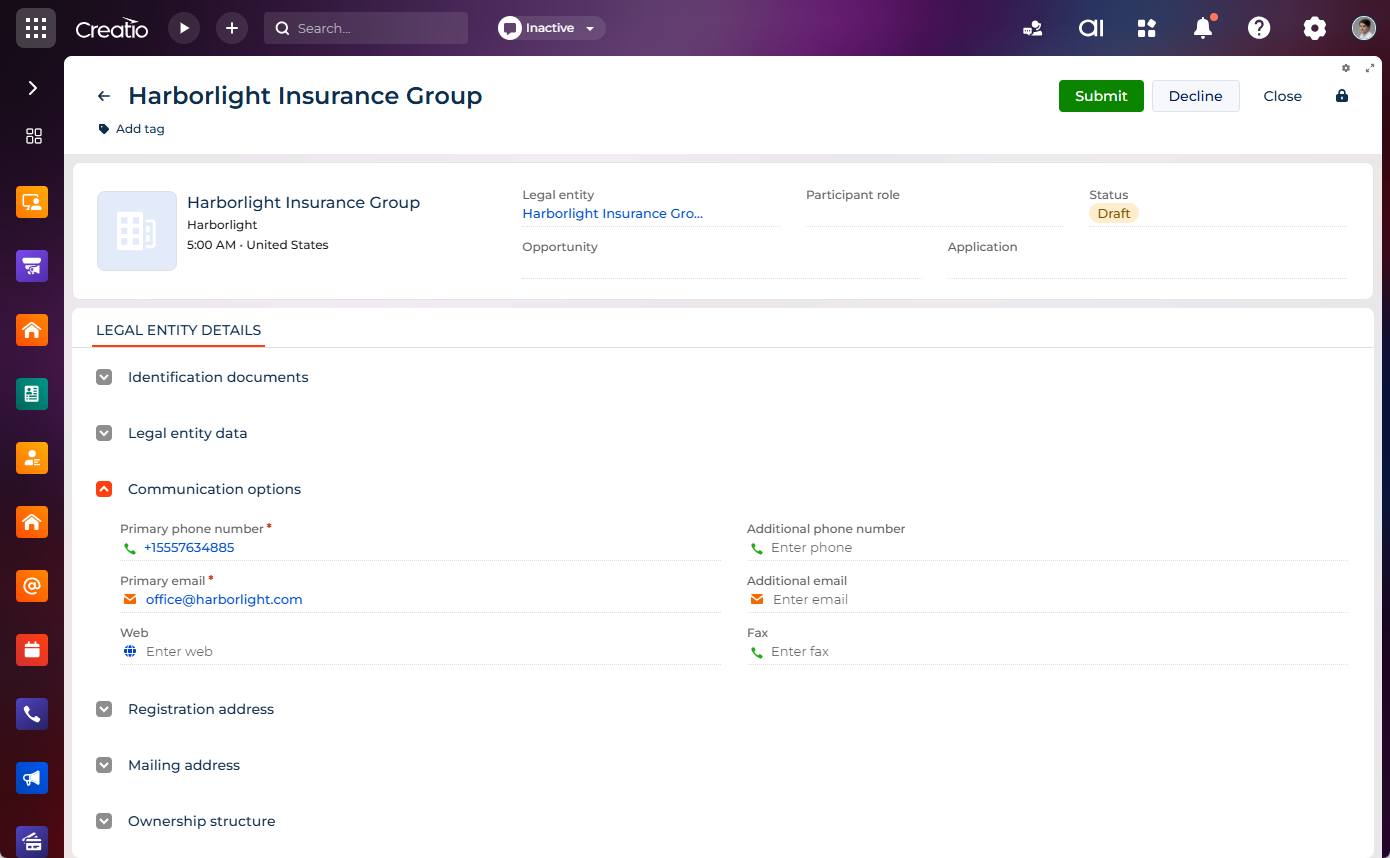
The Communication options expansion panel collects contact details such as primary and additional phone numbers and email addresses. It includes the following:
- primary and additional phone numbers
- primary and additional email addresses
- web
- fax
Addresses
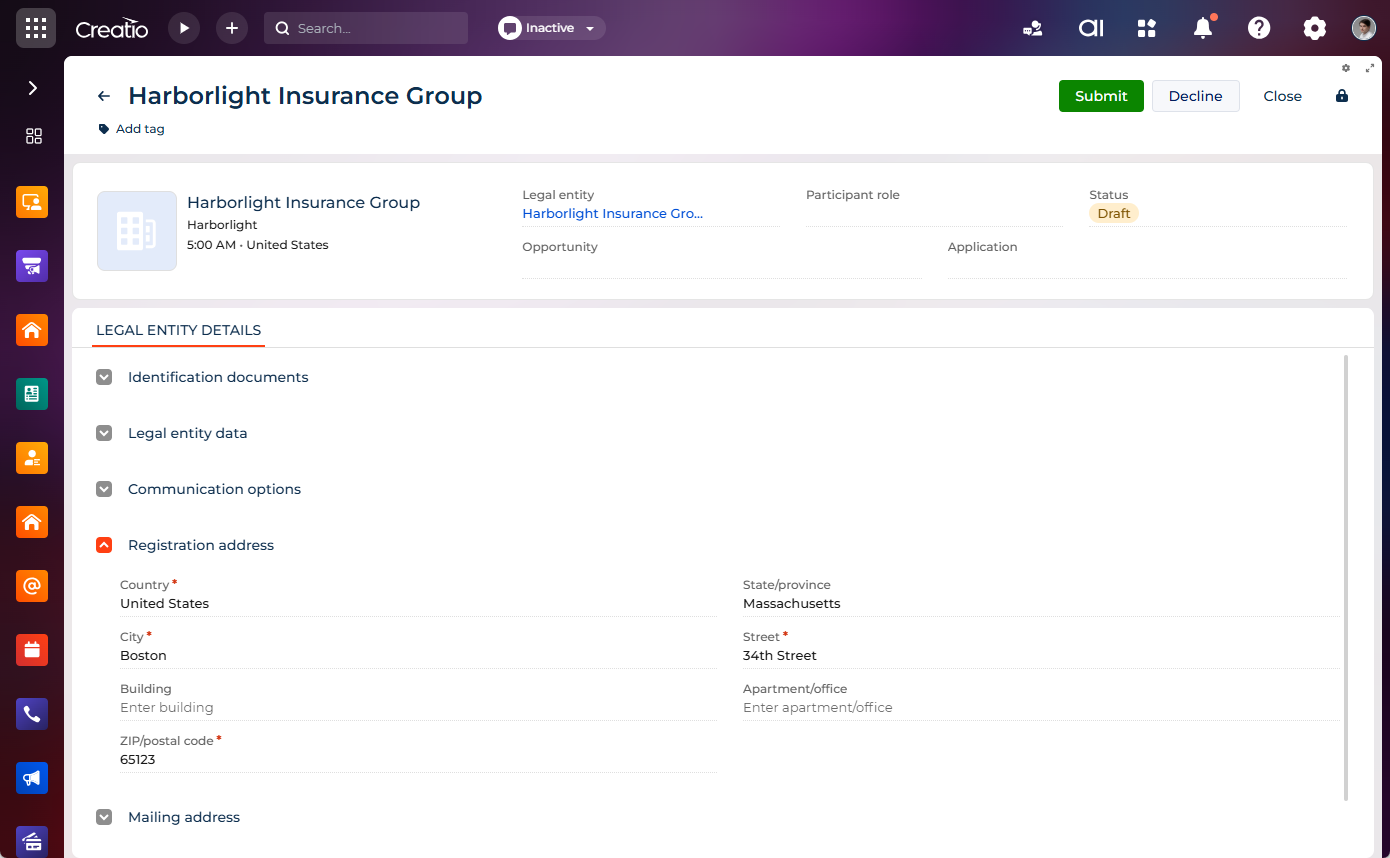
The block contains the following types of addresses required for application processing:
- Registration address – the company's legally registered address.
- Mailing address – the address for receiving correspondence. Select Same as registration address to reuse the registration address values.
Both addresses use the same set of fields:
Field | Description |
|---|---|
Country | The country of the address. |
State/province | The state or province of the address. |
City | The city of the address. |
Street | The street name of the address. |
Building | The building number of the address. |
Apartment/office | The apartment or office number of the address. |
ZIP/postal code | The ZIP or postal code of the address. |
Ownership structure
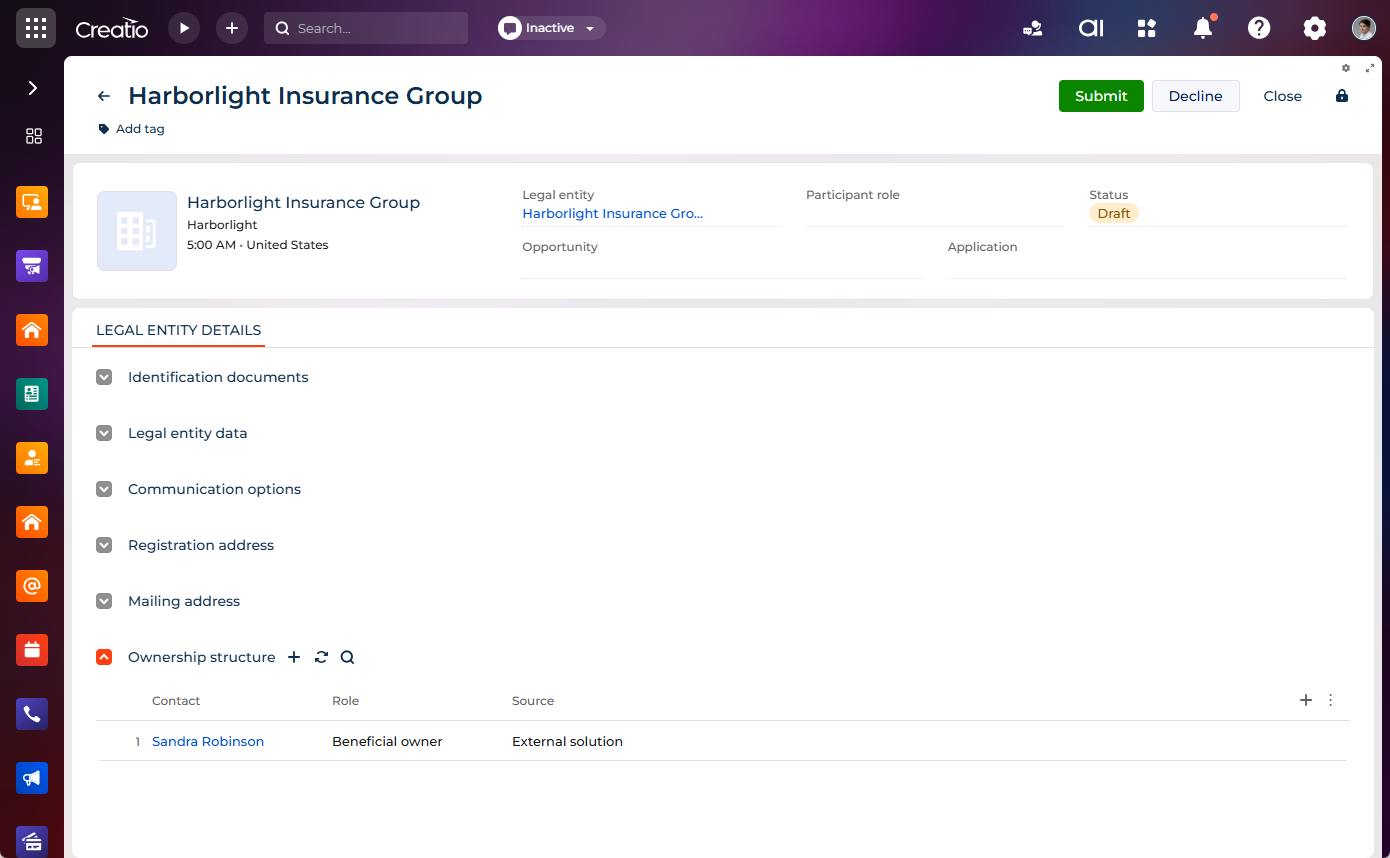
The Ownership structure expanded list displays the company's beneficial owners, authorized signatories, and other related contacts. Each record includes the following:
Field name | Description |
|---|---|
Contact | The related individual. |
Role | The ownership/authority role, for example, beneficial owner, authorized signatory. |
Source | Origin of the ownership record. |
Compliance & Risk monitoring tab
This tab appears after the form is submitted. It contains the following:
- Evaluation history – displays the list of evaluation records (KYB checks) run against the application form.
- Related application forms – displays the application forms of all contacts included in the ownership structure. Creatio generates these forms at the moment of submission, and sets the Parent application form field of each generated form to this legal entity application form.