Individual application form page
This article describes the UI of the application form for individual applicants.
Contact and application information
The top section of the form provides essential details about the application form and associated contact. It includes the following fields:
Field name | Description |
|---|---|
Contact | The individual for whom the application form is being created. |
Participant role | Specifies the applicant's role in the context of the application. |
Status | Current status of the form, for example, "Draft," "Submitted," "Cancelled." |
Opportunity | The linked commercial opportunity if it exists. |
Application | The associated application record if it exists. Determines if manual actions are available. |
Parent application form | The application form from which this form was derived if it exists. |
Identity documents
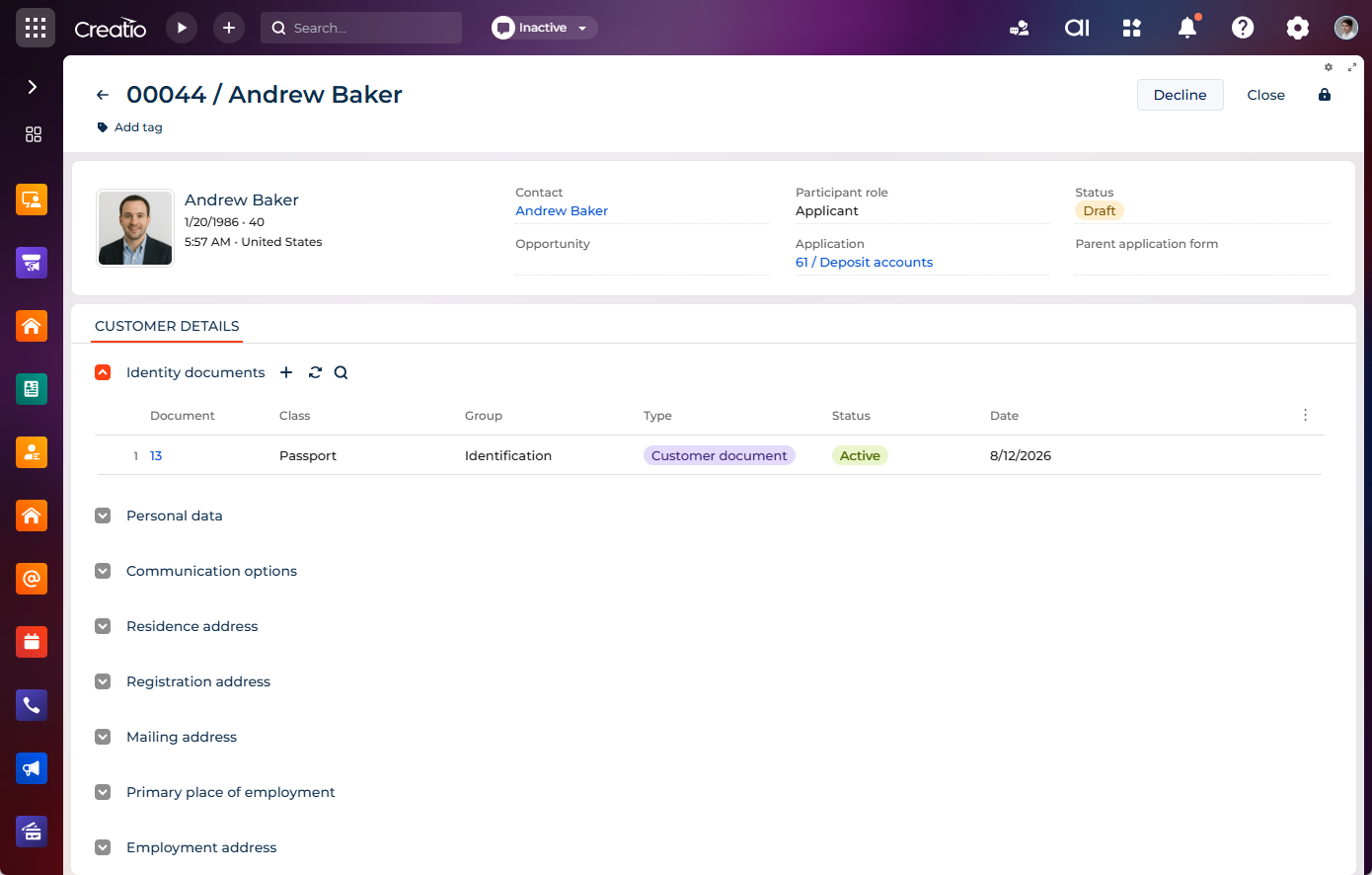
The Identity documents expanded list stores and manages the applicant's official identification. Documents uploaded to this block are used to confirm identity and support regulatory compliance.
Supported document classes:
- passports
- driver's licenses
- ID cards
- residence permits
Personal data
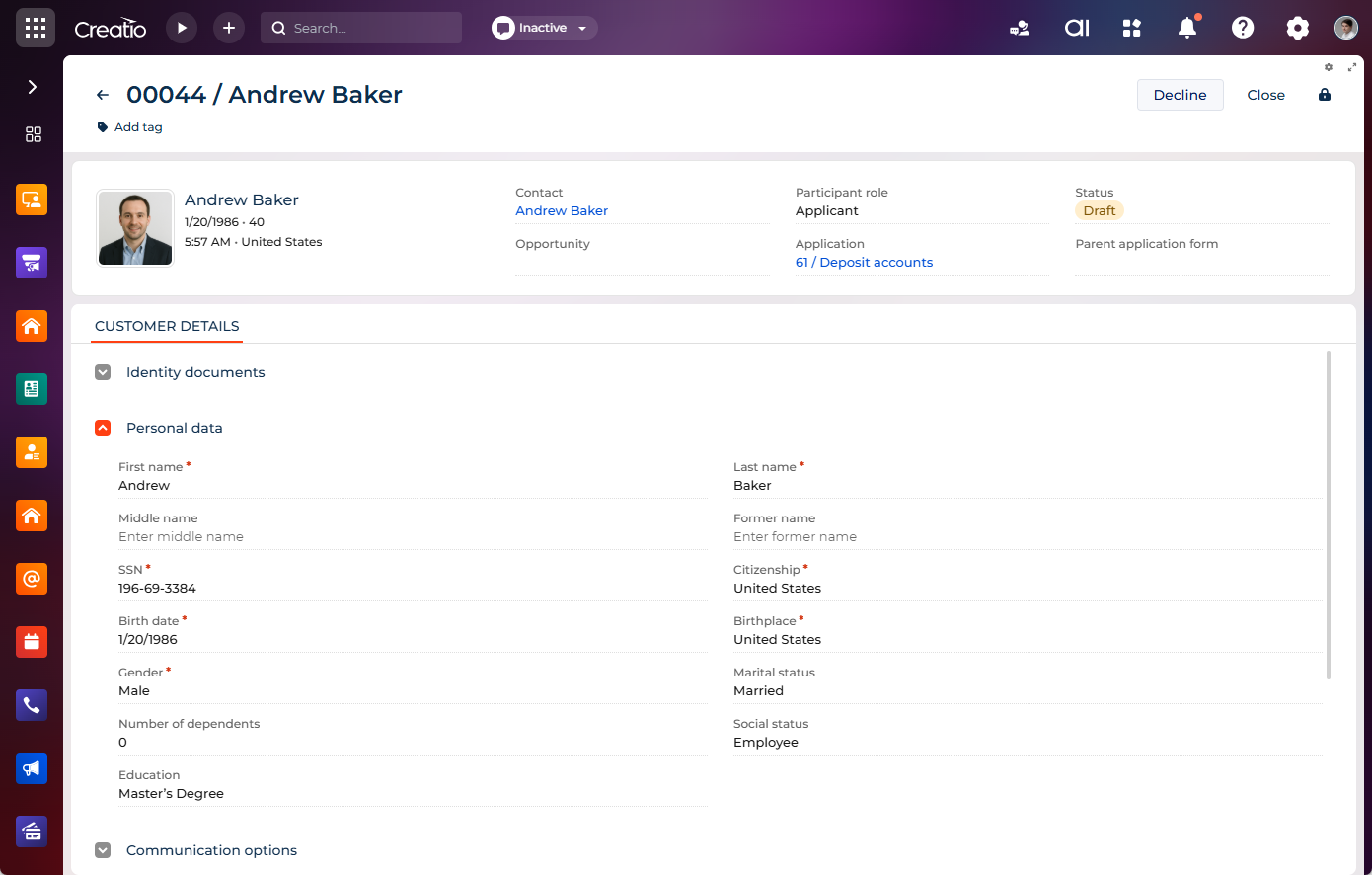
The Personal data expansion panel collects key biographical and demographic information. It includes the following fields:
Field name | Description |
|---|---|
First name | Applicant's first name. |
Last name | Applicant's last name. |
Middle name | Applicant's middle name if applicable. |
Former name | Applicant's previous name if it exists. |
SSN | Applicant's Social Security Number for verification. |
Citizenship | Applicant's nationality. |
Birth date | Applicant's birthdate for age verification. |
Birthplace | City or country where the applicant was born. |
Gender | Applicant's gender identity. |
Marital status | Applicant's legal marital status. |
Number of dependents | Number of individuals financially supported by the applicant. |
Social status | Applicant's current social role, such as student, employed, or retired. |
Education | Highest completed level of education. |
Communication options
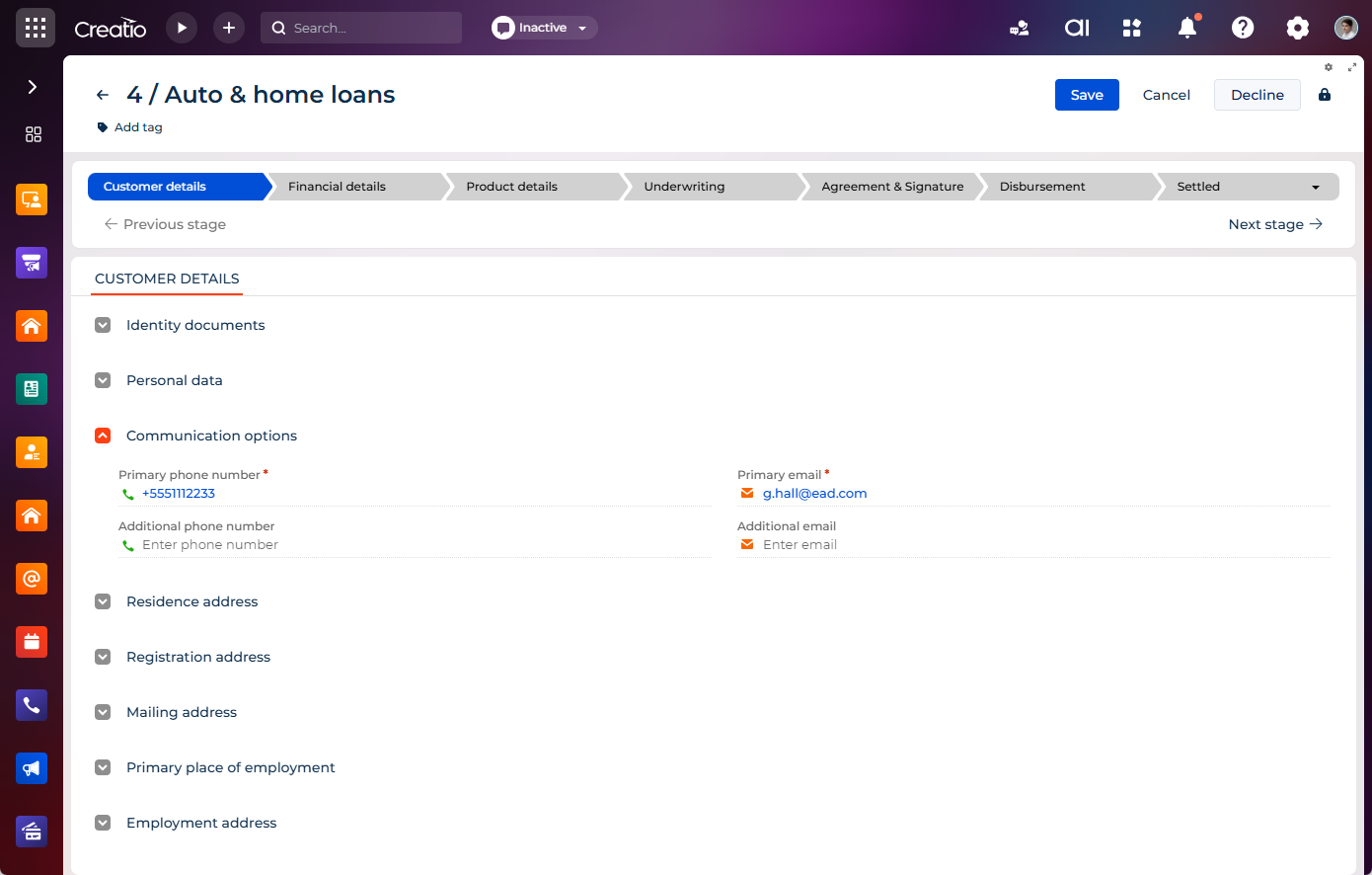
The Communication options expansion panel collects contact details such as primary and additional phone numbers and email addresses. It includes the following:
- primary and additional phone numbers
- primary and additional email addresses
Addresses
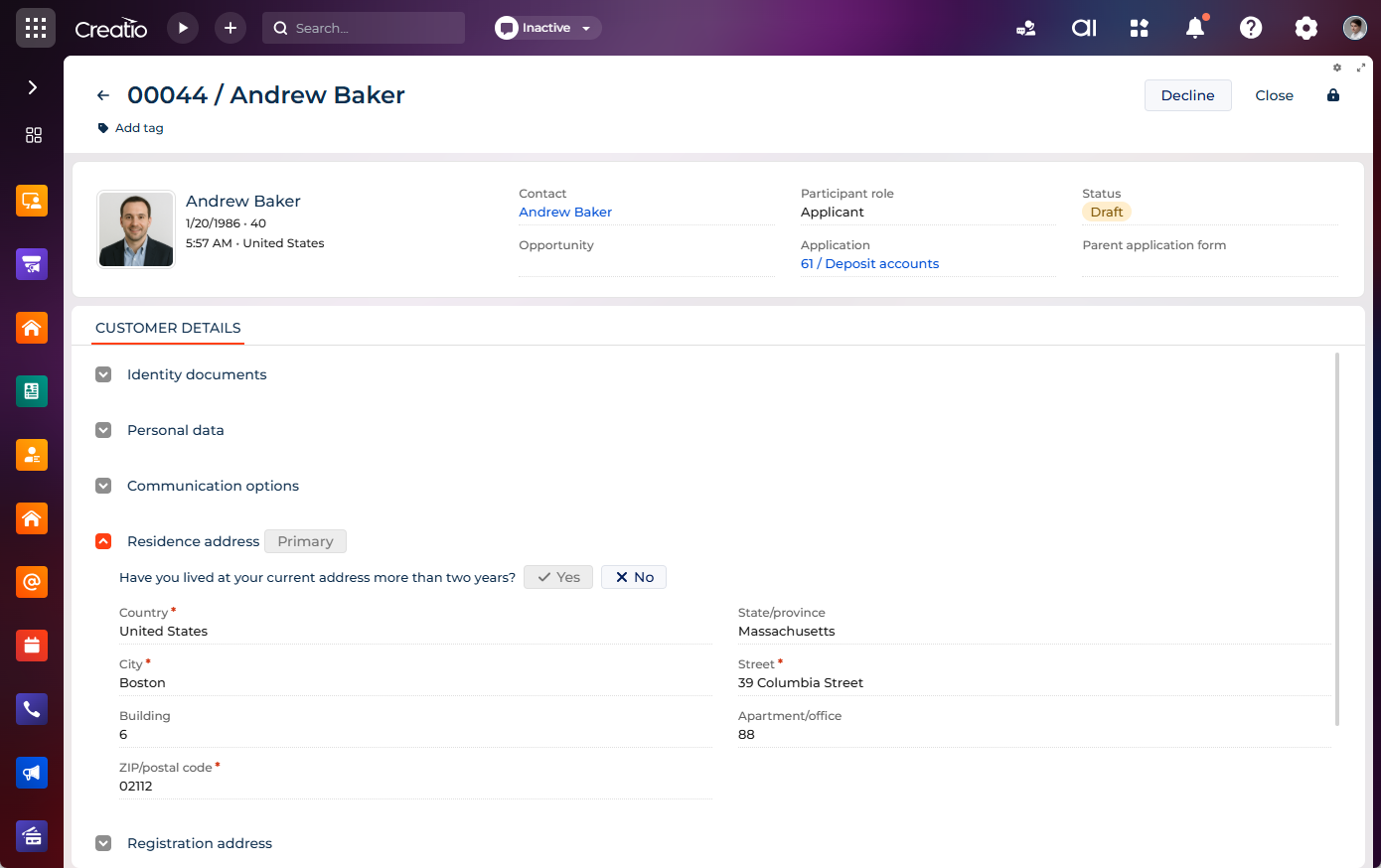
The block contains the following types of addresses required for application processing:
- Residence address – the applicant's current place of living.
- Registration address – the applicant's legally registered address.
- Mailing address – the address for receiving correspondence.
Each address uses the same set of fields:
Field | Description |
|---|---|
Country | Country where the address is located. |
State/province | State or province where the address is located. |
City | City where the address is located. |
Street | Name of the street. |
Building | Building number or name. |
Apartment/office | Apartment or office number, if applicable. |
ZIP/postal code | ZIP or postal code of the address. |
One of the addresses is marked as the primary address and is displayed with the "Primary" tag in the header of the expansion panel. To designate a different address as primary, use the Make primary button in the header of the corresponding expansion panel. For the remaining expansion panels, select the Same as primary address checkbox to reuse the primary address values instead of entering them again.
The Residence address expansion panel also contains the Have you lived at your current address more than two years? question ("Yes"/"No"). Use it to capture address stability, which is required by a number of lending and compliance checks.
Employment details
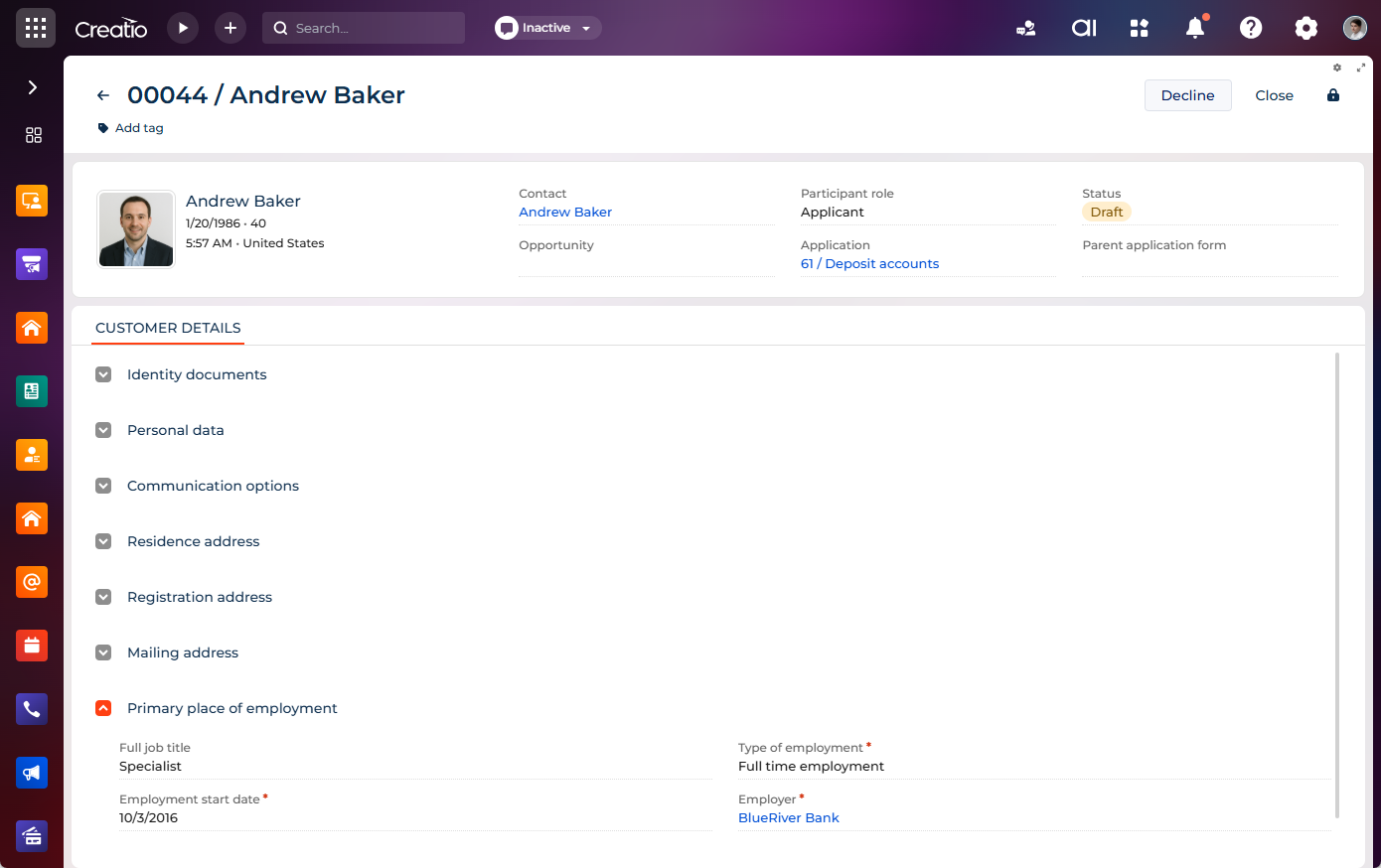
The Primary place of employment expansion panel collects the applicant's professional information. It includes the following fields:
Field name | Description |
|---|---|
Full job title | Applicant's official title at their place of work. |
Type of employment | Nature of employment, such as full-time or part-time. |
Employment start date | Date when employment began. |
Employer | Name of the organization that employs the applicant. |
The Employment address expansion panel stores the organization's address, using the same structure as the residence and registration addresses, except that the Apartment/office field is named Office/suite.
Compliance & Risk monitoring tab
This tab appears after the form is submitted. It contains the Evaluation history expanded list that displays the list of evaluation records (KYC checks) run against the application form.