Sales Engagement overview
Creatio Sales Engagement is available in the latest release on a request basis. Customers wishing to access Sales Engagement are encouraged to contact their Creatio success manager.
Sales Engagement is a structured system in Creatio for managing outbound outreach and follow-up execution. Use it to define multi-step engagement sequences, guide reps through daily tasks, and track performance across the entire team.
Sales Engagement replaces ad-hoc outreach with a sequence-driven model where every step is predefined, execution is centralized, and results are measurable. It supports email, calls, and task-based workflows, with built-in analytics to help you identify what works and where to improve.
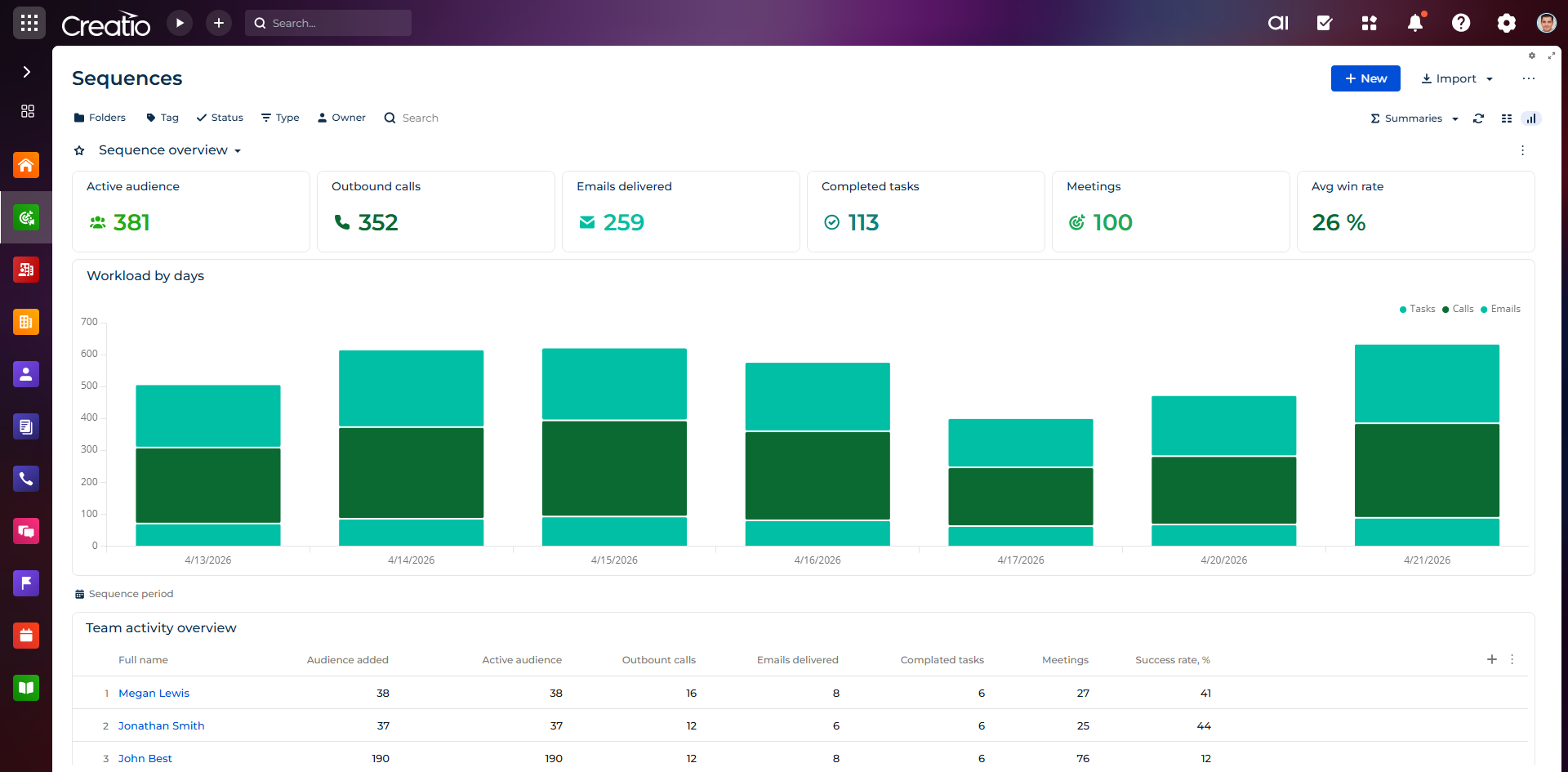
Sales Engagement capabilities are organized into five components: Sequence Management, Activity Execution, Communication, Audience Management, and Prospecting.
Sequence Management
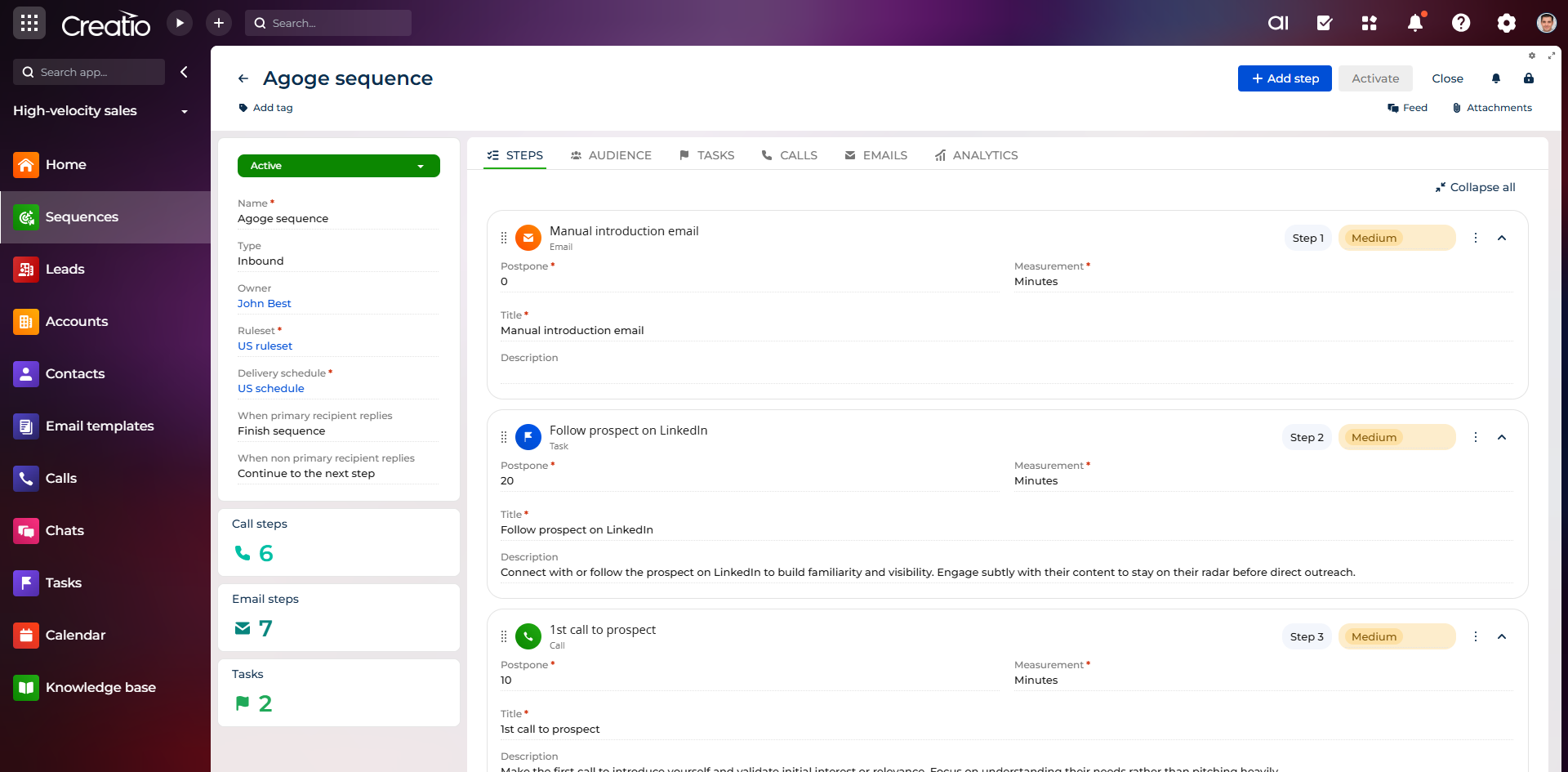
Sequence Management lets you define repeatable outreach playbooks that guide sales reps through multi-step engagement processes. Instead of relying on individual judgment, sequences standardize how and when prospects are contacted across channels such as email, calls, and tasks.
A sequence can include any combination of email steps, call tasks, wait periods, and conditional branches. You configure timing between steps, assign ownership, and use templates for common scenarios such as lead nurturing or post-demo follow-up. Contacts can be enrolled manually from a lead or contact record, in bulk, or automatically based on triggers such as lead creation, scoring thresholds, or stage changes. Duplicate enrollment is prevented automatically, and you can pause or unenroll contacts at any point.
Once active, sequences execute automatically — emails send and tasks are created according to the schedule, respecting business hours and timezones. Analytics track enrollment rates, email performance, task completion, and conversion outcomes.
Activity Execution
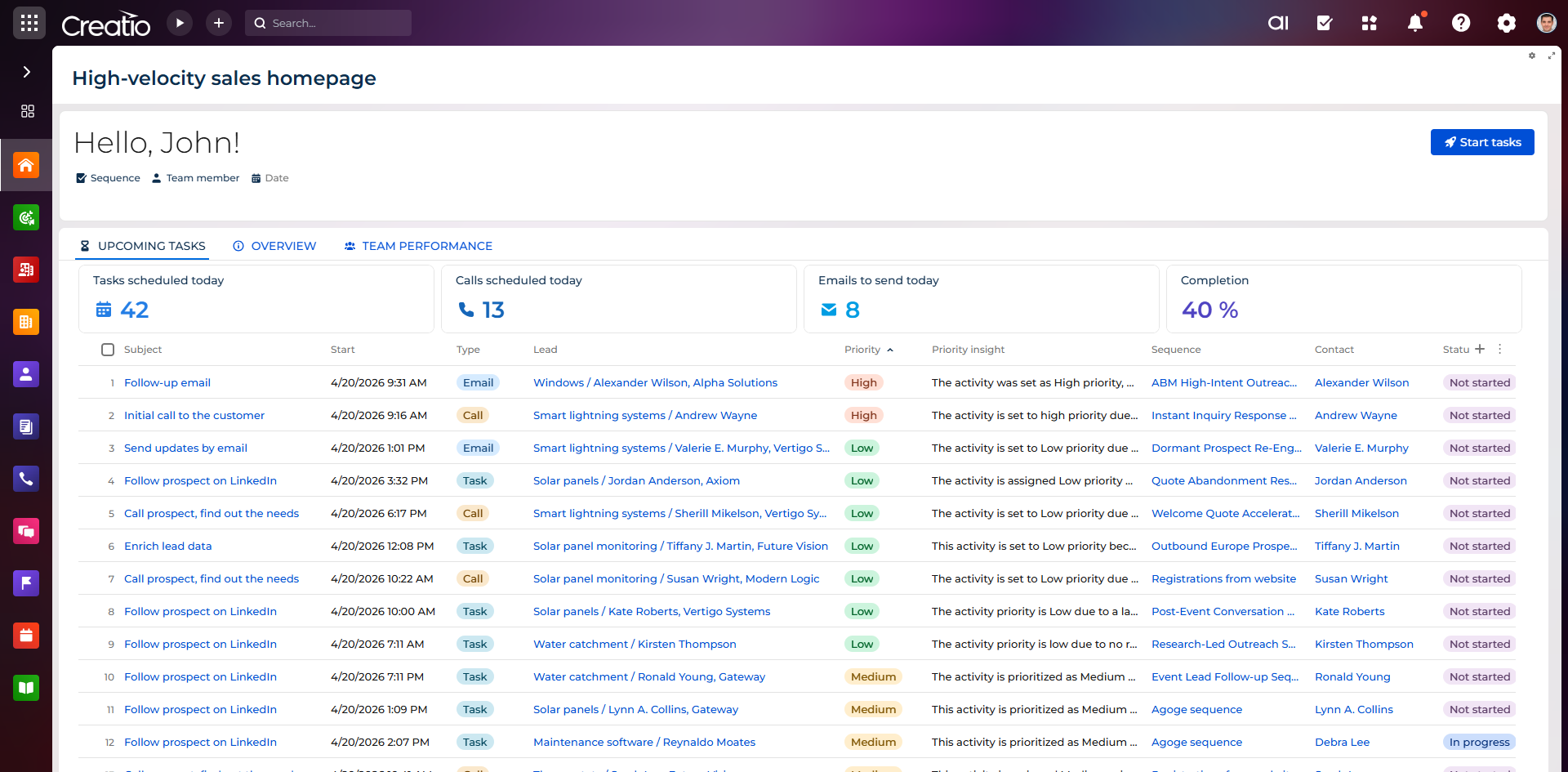
Activity Execution gives sales reps a centralized workspace to execute their daily outreach activities. Rather than navigating multiple records or deciding what to do next, reps work from a prioritized daily execution panel that surfaces tasks in order, with full context and one-click actions.
The panel displays all assigned tasks — due today, overdue, and upcoming — with task type, associated record, priority, and due date. Reps can complete tasks directly from the panel: click to call, compose and send emails, schedule meetings, and log outcomes without leaving the view. All activity is automatically recorded in the CRM.
The panel is accessible from any page in Creatio, and displays full context for each task — contact details, interaction history, and related sequence steps — so reps can act without navigating away.
Communication
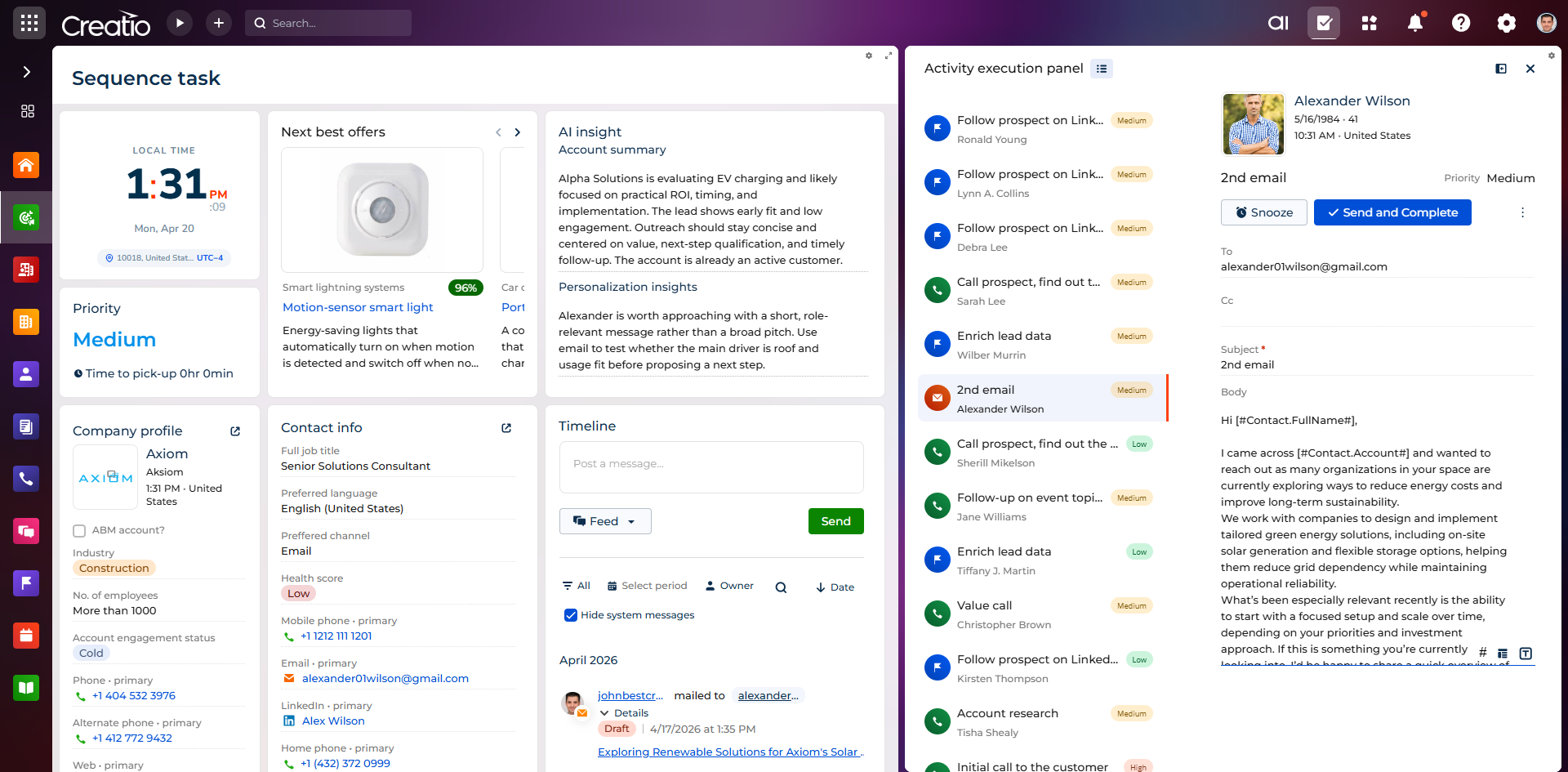
The Communication component provides the tools reps use to execute outreach: email sending with tracking, and calls with logging.
Email capabilities include template-based composition with CRM field personalization, and tracking of clicks, and replies. Call capabilities include click-to-call from any record, call outcome logging, and integration with connected telephony providers. Both channels feed back into sequence execution — for example, an email reply can trigger a branch or pause a sequence automatically.
Audience Management
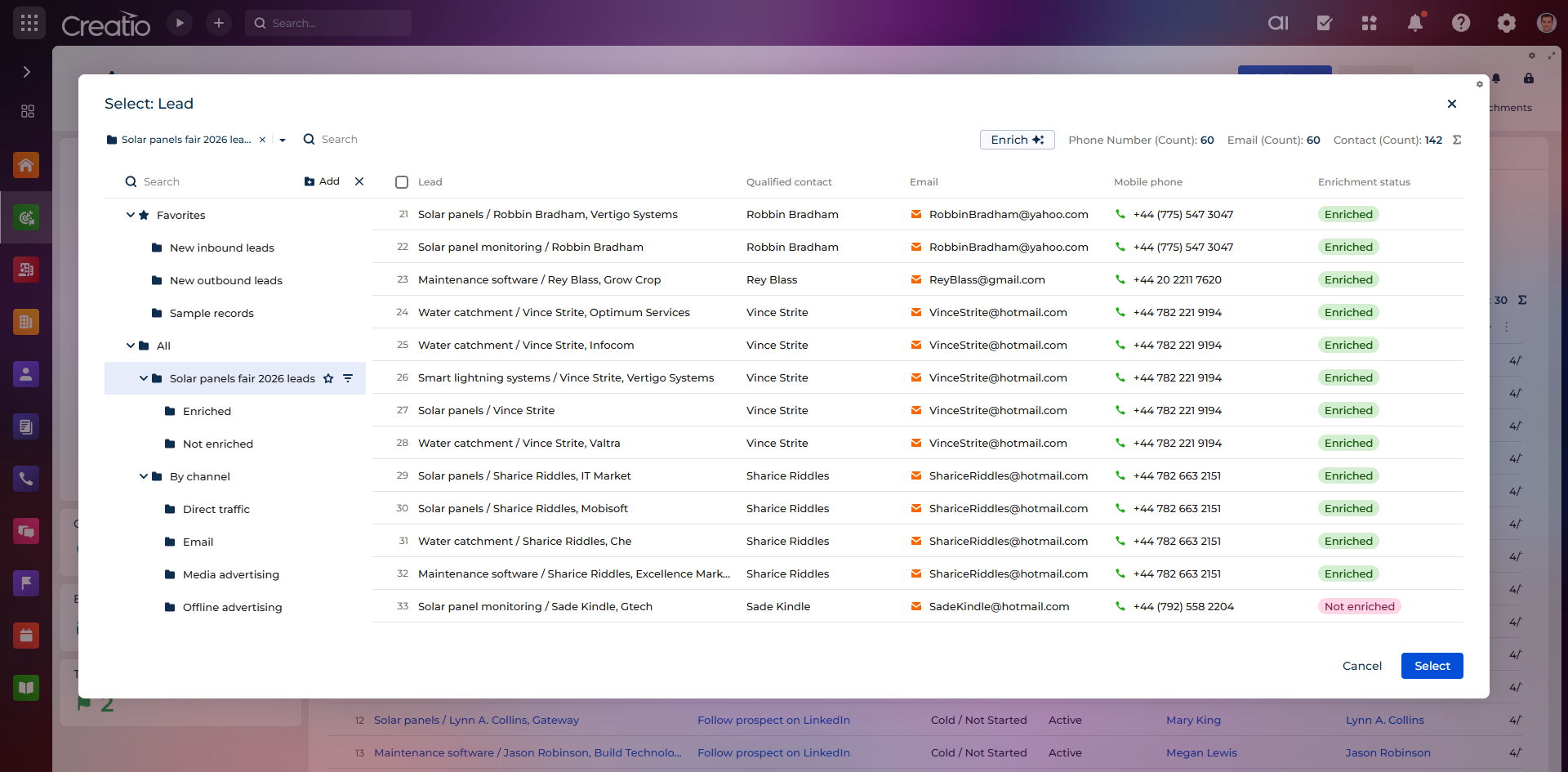
Audience Management lets you define and maintain the segments that feed into engagement sequences. Segments are built using CRM data — account attributes, lead scores, interaction history, or custom fields — and update dynamically as data changes.
Global suppression lists prevent unsubscribed or excluded contacts from receiving outreach, and frequency controls ensure contacts are not over-contacted. Opt-in and opt-out preferences are tracked and enforced in compliance with GDPR and CAN-SPAM requirements.
Prospecting
Prospecting extends Sales Engagement beyond structured outreach by enabling sales teams to discover, capture, and enrich new leads directly from external platforms such as LinkedIn and Sales Navigator.
A Chrome extension activates within LinkedIn and Sales Navigator and lets reps extract contact data — name, title, company, LinkedIn URL — from individual profiles or bulk search results. Extracted contacts are matched against existing Creatio records using LinkedIn URL, name and company, or domain signals. Unmatched contacts are enriched via external providers such as Apollo or ZoomInfo to populate email, phone, job title, and company attributes.
Once enriched, contacts and accounts can be created or updated in Creatio in a single action. Company accounts are resolved automatically using the contact's domain, with prompts when multiple matches exist. Bulk processing lets reps handle large prospect lists with progress tracking and per-record results.