1. Create a replacing object schema
- Go to the Configuration section and select a custom package to add the schema.
-
Click Add → Replacing object on the section list toolbar.
/scr_add_entity_schema_replaced.png)
-
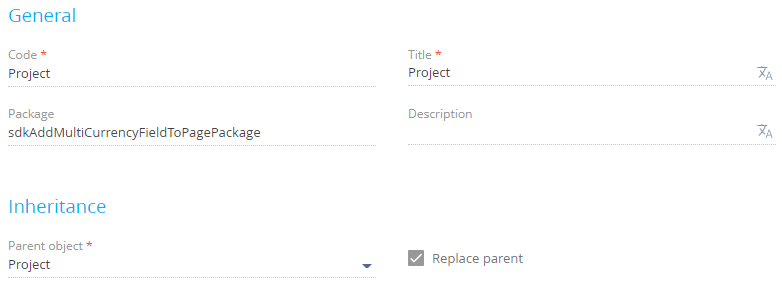
Fill out the schema properties.
- Set Code to "Project."
- Set Title to "Project."
- Select "Project" in the Parent object property.
-
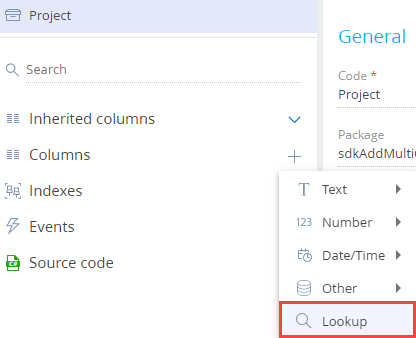
Add a column to the schema.
- Click
 in the context menu of the object structure's Columns node.
 -
Click Lookup in the drop-down menu.
-
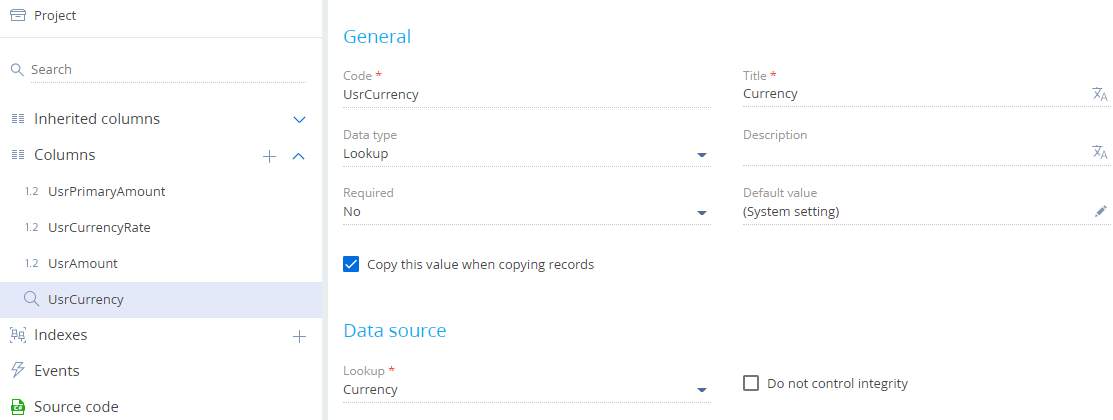
Fill out the properties of the added column.
- Set Code to "UsrCurrency."
- Set Title to "Currency."
- Set Lookup to "Currency."
-
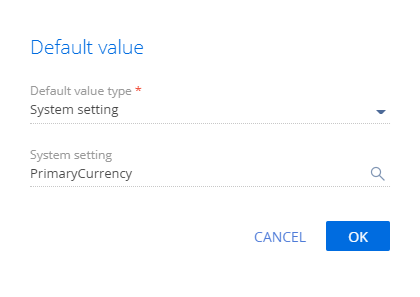
Set up the Default value property.
- Click
/scr_edit_button.png) in the Default value field.
in the Default value field. - Select "System setting" in the Default value type property.
-
Select "Base currency" (PrimaryCurrency code) in the System setting property.
- Click
View the column properties in the figure below.
- Click
-
Add columns that contain the total amount, the amount in base currency, and the exchange rate similarly. View the column properties in the table below.
Properties of the columns to addData type) Code Title Currency "UsrAmount" "Amount" Currency "UsrPrimaryAmount" "Amount, base currency" Decimal (0.0001) "UsrCurrencyRate" "Exchange rate" - Click Save then Publish on the Object Designer's toolbar.
2. Create a replacing view model schema of the project page
- Go to the Configuration section and select a custom package to add the schema.
-
Click Add → Replacing view model on the section list toolbar.
/scr_add_replacing_module.png)
-
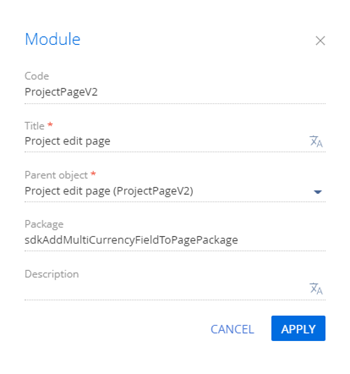
Fill out the schema properties.
- Set Code to "ProjectPageV2."
- Set Title to "Project edit page."
- Select "ProjectPageV2" in the Parent object property.
- Add the MoneyModule, MultiCurrencyEdit, MultiCurrencyEditUtilities modules as dependencies to the declaration of the view model class.
-
Set up the layout of the multicurrency field.
-
Add the following attributes to the attributes property:
- UsrCurrency. The currency. Corresponds to the UsrCurrency column.
- UsrCurrencyRate. The exchange rate. Corresponds to the UsrCurrencyRate column.
- UsrAmount. Total amount. Corresponds to the UsrAmount column.
- UsrPrimaryAmount. The amount in base currency. Corresponds to the UsrPrimaryAmount column.
- Currency. The currency. Corresponds to the Currency column. The multicurrency module interacts with this column. Declare a virtual column in the Currency attribute and link the column to the UsrCurrency column using the handler method.
- CurrencyRateList. The collection of exchange rates. Required for the multicurrency module to operate as intended.
- CurrencyButtonMenuList. The collection for the currency selection button. Required for the multicurrency module to operate as intended.
- Add the MultiCurrencyEditUtilities mixin to the mixins property.
-
Implement the following methods in the methods property:
- onEntityInitialized(). Overloads the base virtual method. Called after Creatio initializes the object schema of the record page.
- setCurrencyRate(). Sets the currency exchange rate.
- recalculateAmount(). Recalculates the total amount.
- recalculatePrimaryAmount(). Recalculates the amount in base currency.
- onVirtualCurrencyChange(). Handles the changes to the virtual currency column.
- Add a configuration object with the settings that determine the layout of the multicurrency field to the diff array of modifications.
View the source code of the replacing view model schema of the project page below.
-
- Click Save on the Designer's toolbar.
Outcome of the example
To view the outcome of the example, refresh the Projects section page.
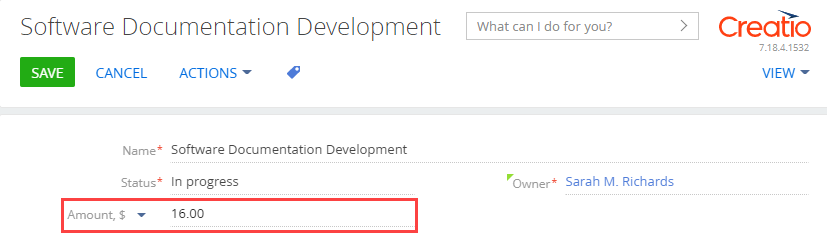
As a result, Creatio will add an Amount multicurrency field.
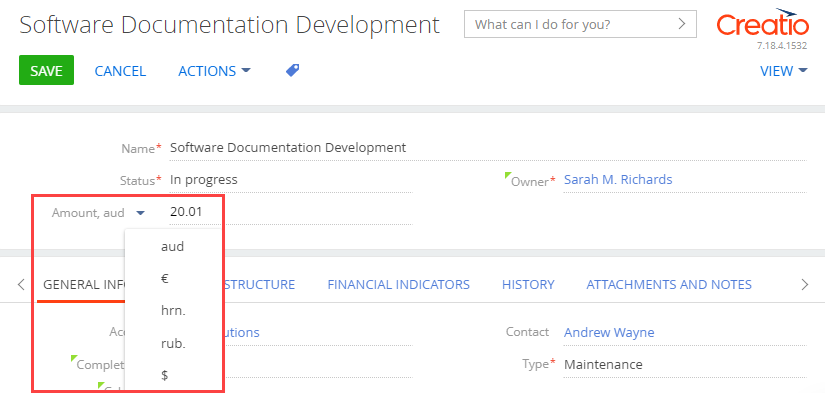
Creatio recalculates the field value automatically after you select the currency in the drop-down list.