AI Twin overview
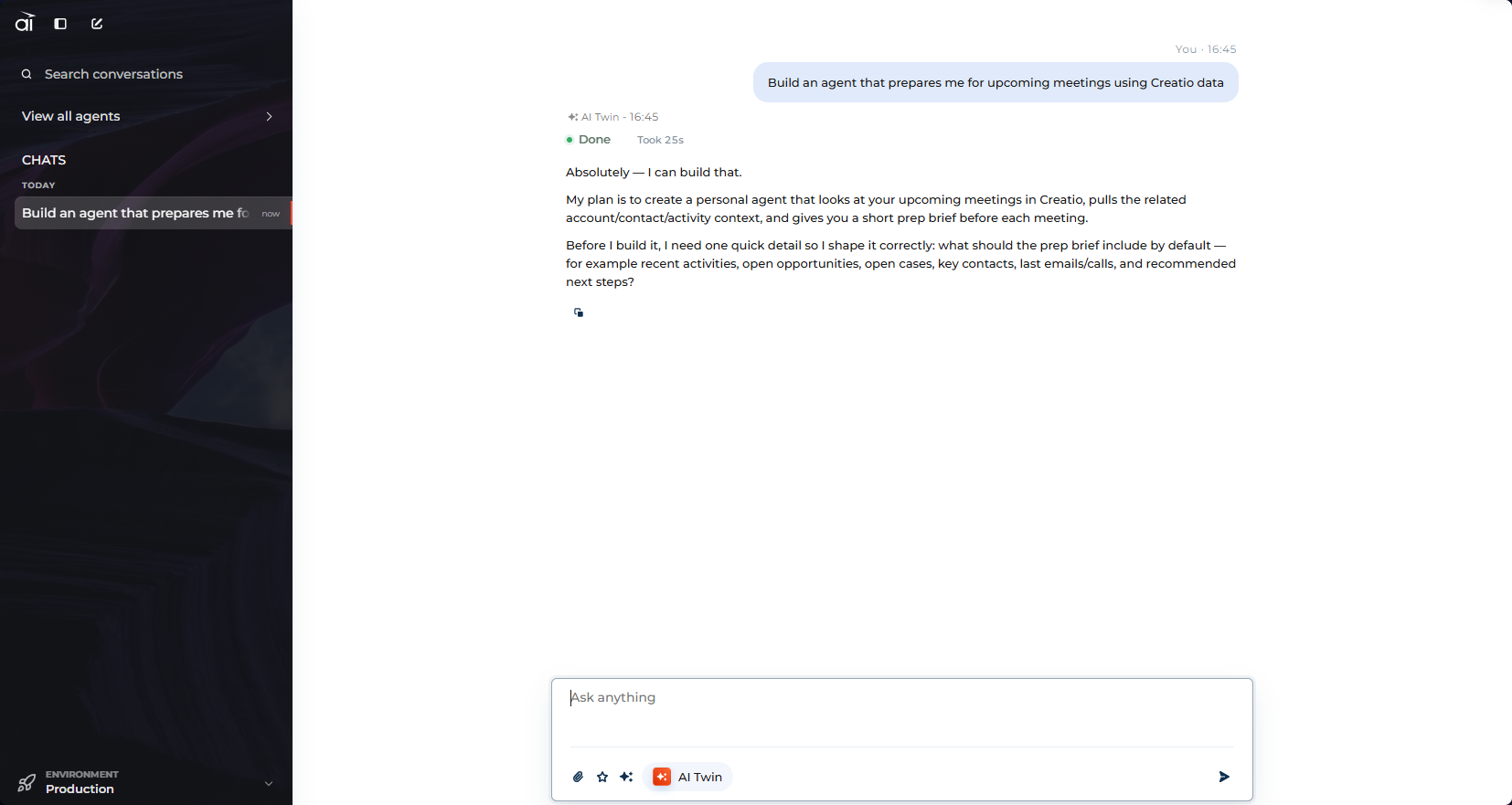
Building an agent normally means opening a designer and filling out fields: an identity, a system prompt, a model, then whatever skills, knowledge, and tools the job needs. AI Twin removes that step. You describe the outcome you want in plain language, and AI Twin composes the agent for you, then keeps operating it on request.
AI Twin is itself an agent that holds the tools needed to create and change other agents. That is why it can do things an ordinary chat assistant cannot: it does not describe how to build an agent, it builds one.
AI Twin is the chat on the Home page of Creatio AI Studio, and it is the landing surface out of the box. Use it to create, refine, deploy, and inspect agents without opening the designer. Learn more: Create an agent with AI Twin and Work with AI Twin.
Build AI Agents from a conversation
The main way to use AI Twin is to create agents by describing what you need. Tell AI Twin the goal of the agent, and it designs the agent and composes the right skills and tools for it. To refine an agent later, name it and describe the change in the same way. AI Twin updates the agent and keeps its deployment and channels intact. You can also open the agent in the designer at any time and continue there yourself.
AI Twin works through capability bundles, each covering one stage of the agent lifecycle. To see them, type / in the message box or open the Commands and skills menu there while AI Twin is the selected agent. The menu lists the skills of the agent you selected, so select one to steer a request at it.
- Agent Composer. Creates a new agent from your goal, using the available Creatio skill and tool catalog.
- Agent Prompt Repair. Changes or fixes an existing agent's instructions, display name, or code, and keeps everything else.
- Agent Skills. Edits the skills of an existing agent and their profiles, publishes the changes, and attaches or detaches skills.
- Agent Data Access. Gives an existing agent access to Creatio data or another integration's tools, or changes its built-in model tools.
- Agent Profile. Changes how an existing agent appears: welcome screen, description, example prompts, icon, and color.
- Agent Inspector. Reads back agents, deployments, and current configuration, without changing anything.
- Deployment Manager. Manages the full agent deployment lifecycle.
- Knowledge. Creates file or webpage knowledge sources, indexes them, and attaches them to agents. Learn more: Add a knowledge source.
- Host Navigation. Navigates or filters the page you are on from a plain-language request.
Work with your Creatio data
Beyond building agents, AI Twin works with your Creatio data directly in the chat. Ask it to summarize your meetings for the week, review your open opportunities, or explain how a custom object is structured, and AI Twin reads the answer from your live Creatio records rather than guessing. It discovers the objects and sections available to you, inspects their fields and relationships, and returns links back to the exact records you can open.
The Commands and skills menu carries a bundle for each kind of data work.
- Explore the Creatio data structure. Maps a concept to the right object and lists its columns, so you can find out how your data is organized.
- Query Creatio records. Finds, filters, sorts, counts, and pages records once you know the object. Records that Creatio marks as deactivated, such as retired lead statuses, stay out of lists and totals unless you ask for them.
- Search Creatio records by keywords. Finds records by keyword across objects, for when you do not know which object holds them.
- Create a Creatio record and Update a Creatio record. Resolve the object, gather only the fields needed, and resolve lookups along the way. AI Twin confirms a change once it is saved and keeps the formatting of rich-text fields.
- Analyze a Creatio record in its business context. Reads a record, walks its related records, and explains what it finds.
- Trace stage transitions. Answers "what was it before," "where did it come from," and which stage a record was on at a given moment.
- Resolve a named scope through saved folders. Turns a scope you named in words — a team, group, segment, practice, or division — into the folder behind it.
- Creatio date and time handling, Date & time interpretation, and Resolve reporting periods. Turn a phrase such as "tomorrow 10am," "end of next month," "this quarter," or "FY27" into an explicit date or date window.
Working with your data requires a CRM connection for the environment you are in, set up in the Settings section under CRM connections. When none is configured, AI Twin tells you so and shares a short setup note for your administrator instead of reporting that no data was found. Learn more: Connect a CRM per environment.
General assistance and research
AI Twin also acts as a general-purpose assistant for everyday work. It holds a normal conversation, answers questions, drafts and explains content, searches the public web for current information, works with the files you provide, and runs calculations. In a text, PDF, Word, Excel, or PowerPoint file attached to the conversation, it can find a phrase and quote the matching passages without reading the whole document. Images cannot be searched. Use AI Twin for a quick answer or a research task the same way you would use it to build an agent.