8.3.2 Twin release notes
At Creatio, we are committed to empowering our customers with industry-leading product innovations for workflow automation, no-code development, and modern CRM. Today we are advancing new forms of innovation with Creatio version 8.3.2 "Twin," featuring the following new capabilities and enhancements.
A comprehensive overview of technical changes and enhancements can be found in the 8.3.2 Twin changelog.
The update guide for the on-site applications is available in a separate article.
Creatio.ai
New pricing model. Creatio.ai now uses actions instead of tokens. One action equals one complete request to an LLM (large language model), whether it is a search query, a summary, an agent run, or a business process call. Customers who bought extra token packages continue to use them.
You can select a custom LLM for certain AI packages. Starting from the Accelerate package, you can add and use your own models. Creatio.ai dashboards now show available and used actions. New licensing operations control whether you can add actions and whether you can connect LLMs without the required package. Learn more: Creatio composable pricing.
Custom LLMs. It is now possible to connect your own LLM to Creatio.ai. You can use LLM from OpenAI, Azure AI, or any other custom provider. You can also plug in your own locally hosted models. This lets you run Creatio.ai in a closed environment or rely on your own LLM for tighter security and more flexibility. Learn more: Connect a custom LLM to Creatio.ai
Improved AI Agent selection logic. Creatio AI now uses richer context to pick the right agent for each request. Along with your first message, the platform reviews details about the page you are on and the visible fields. This helps the model understand what you are doing and route your request to the most relevant agent.
Segmentation AI Agent. You can now build precise audience segments using natural language in Creatio Marketing via the new Segmentation Agent. Just describe your target audience and Creatio.ai will generate the right filters and create a dynamic folder automatically. You can also ask the agent for advice on segmentation best practices. This streamlines segmentation, eliminates manual work, and helps you reach the right audience faster.
Filter AI Agent. Both you and Sub-agents can now create dynamic folders directly from natural-language requests using the new Filter Agent. The agent interprets intent, resolves data model relationships, and generates correct Creatio filter metadata automatically.
News and insights for accounts. It is now possible to get informed about key account developments, saving time and improving strategic awareness, by asking Creatio.ai to send you news for your accounts. You can also subscribe to these insights. Learn more: Subscribe to AI news and insights for accounts.
Records added via Creatio.ai. It is now possible to ensure data entry is reliable and consistent even when specialized Sub-agents are not available. Creatio now falls back to generic record creation mechanism when a specialized Sub-agent or Agent is not available to process a record creation request. The platform determines the target object, retrieves metadata, validates your input against required fields and object-level business rules, and prompts you for confirmation before performing the AI Action.
Confirmed AI Actions. It is now possible to decrease the need to embed confirmation steps into Sub-agent or Agent prompts and ensure predictability in launching critical actions by Creatio.ai by asking the users to confirm the action explicitly in the chat before Creatio.ai starts it. The confirmation message is generated automatically by the LLM based on the action description and parameters.
Parse date/time. Creatio.ai now understands and processes informal or conversational scheduling phrases used in chats better using the new "Parse date/time" system action.
Enhanced "Case performance" Sub-agent. You can now get a more accurate picture of how cases were handled and resolved while using the "Case performance" Sub-agent. The skill now detects escalations between assignees, assignee groups, and support lines as well as reflects the full escalation path in its summary.
Enhanced "Suggest case resolution" Sub-agent. The skill now returns more accurate recommendations and reduces cases where the AI fails to perform searches or returns incomplete results. The search for knowledge base articles was streamlined by merging multiple steps into a single step. The skill now retrieves both case-linked articles and search results in a single action.
Enhancements for Creatio.ai add-in for Microsoft Outlook and Teams.
- Have visually consistent experience by aligning the Creatio.ai add-in theming with Microsoft Teams fully. Manage this functionality using the
DisableEmbeddedThemingadditional feature, unregistered and disabled out of the box. Learn more: Implement a custom additional feature. When enabled, the add-in automatically detects and applies your Teams theme, switching between light and dark modes in real time. - Use the add-in across platforms smoother for better user experience. The add-in restores your last used Creatio instance across devices. When you switch between web and desktop Outlook or Teams, your session is reconnected seamlessly.
- Open and use Creatio.ai add-in in meetings that include group email addresses among participants. This enhancement ensures smooth operation in both Outlook and Teams.
- Access the Creatio.ai add-in in Microsoft Teams during ad hoc calls. This allows seamless collaboration and access to key tools without depending on meeting type.
AI-generated widget enhancements.
- View widgets directly within the Creatio.ai chat panel, including pipeline, sales pipeline, and full pipeline visualizations. This lets you generate visual analytics by simply describing the desired view in natural language.
- Generate lists based on aggregated metrics, for example, top agents by closed cases or top sales representatives by paid invoices. Creatio.ai interprets and executes queries that include grouping, counting, or summing of values.
- Generate list widgets that contain specific records, for example, top opportunities, key accounts, open cases, and new leads. This lets you access and interpret business-critical data quickly directly from conversational queries.
LLM reasoning. You can now understand LLM logic and reasoning in debug mode easier by capturing and exposing the reason behind the selection of an Sub-agent or AI Agent in the Reason field when Creatio selects an Sub-agent or AI Agent. To take advantage of this functionality, turn on the GenAIFeatures.GenerateIntentSelectionReason feature. Learn more: Manage an existing additional feature.
Precise response of AI API Skills. You can now define precise response formats of API Skills directly in the UI by configuring structured outputs using JSON schema. This ensures consistent, reliable integration with downstream processes. Learn more: Handle system-level data using Creatio.ai.
Creatio products and apps
Classic UI Shell deprecation. Starting with Creatio version 8.3.2, support for Classic UI shell is discontinued officially. Classic UI sections continue to work as before. In other words, all existing functionalities remain unaffected, and the changes apply exclusively to the panels, navigation, communication areas, and related elements. All environments still using the Classic UI shell will be automatically switched to the Freedom UI shell during the upgrade to version 8.3.2. No additional configuration will be required on your side. The switch will take place seamlessly during the upgrade.
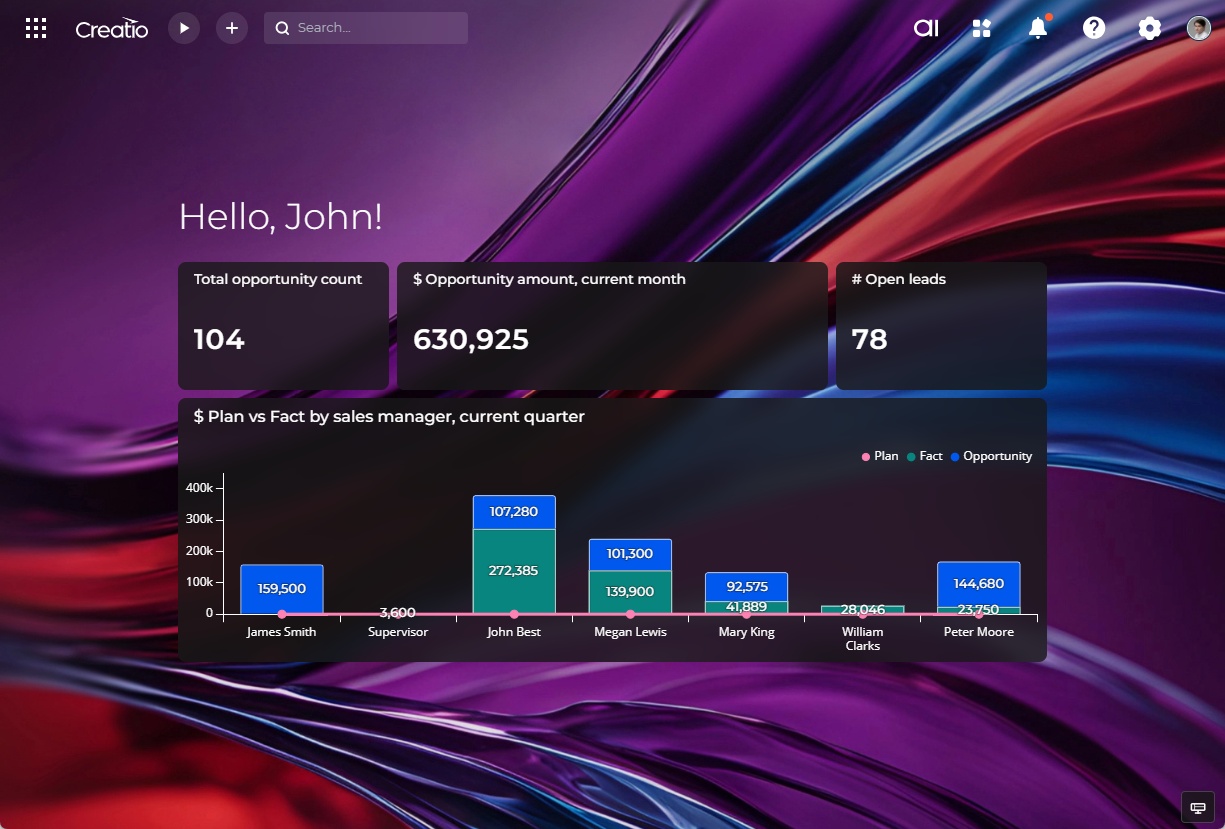
Freedom UI is the next-generation interface designed to deliver a more modern user experience, improved performance, and enhanced customization options. It provides a consistent look and feel across all devices and ensures better support for Creatio’s future product innovations.
You do not have to wait for the update to start working with the new UI. We strongly recommend and encourage all users to prepare for this change in advance. Switch your interface to Freedom UI, verify that everything works as expected, and reach out to our support team if you encounter any issues. Administrators can enable the Freedom UI in advance for selected users, user roles, or even the entire organization. This lets you adopt the new UI gradually, run internal testing, and collect feedback from your teams before the automatic switch with version 8.3.2.
For your convenience, we recommend exploring the following articles:
- Get started with Creatio Freedom UI: learn more about its capabilities, benefits, and differences from Classic UI.
- Turn on Freedom UI: step-by-step instructions on how to configure the UI settings for users, roles, and organizations.
Territory Management
We released a brand new application for the territory management. It streamlines the organization and management of accounts and corresponding leads and opportunities based on territory structure. You can also review key analytics tied to their geographic or organizational location. The app provides a clear, hierarchical view of all active territories together with essential KPIs. You can navigate parent–child relationships, ownership, and territory types, while indicators such as total and assigned accounts, coverage, and pipeline activity help evaluate performance and support strategic territory planning.
Territory Management app requires Customer 360 app to be installed and can be enhanced by the Lead and Opportunity Management app.
Email Marketing
Streamlined domain validation. You can set up domains faster on multiple-instance environments without depending on Creatio support by validating the same domain across multiple Creatio instances on your own. Learn more: Validate a sender domain for marketing emails.
Lead Generation
Form prefill. It is now possible to automatically populate form fields using contact data when users open a landing page created in the Landing Page Designer from a bulk email HTTPS link that includes the ?crt_pref=[#Recipient.PrefillToken#] parameter. This functionality works for forms that register submissions and are published to a Creatio pre-configured URL. Each token is validated securely, used only once, and never stored in cookies, ensuring data protection and compliance. After a token is used, the form loads with blank fields for any subsequent visits. This enhancement streamlines the submission process and improves the accuracy of contact capture in marketing campaigns. Learn more: Pre-fill landing page forms.
Landing page form improvements. You can now configure default values and hidden fields in forms created in Landing Page Designer. Creatio populates default values when the form loads. Prospects can change default values before submission. Hidden fields are not shown to users but are included in the submitted data. This is ideal for capturing contextual info like registration method, customer need, or source/channel.
Creatio does not populate Source and Channel fields of the "Submission" and "Lead" objects using default values out of the box. These fields are overridden by the lead source determination rules that are populated based on the utm parameter in the URL and prioritize data from different tracking mechanisms. To use default values with these fields, add and enable the UseDefaultLeadSourceValue additional feature. Learn more: Implement a custom additional feature.
Case Management
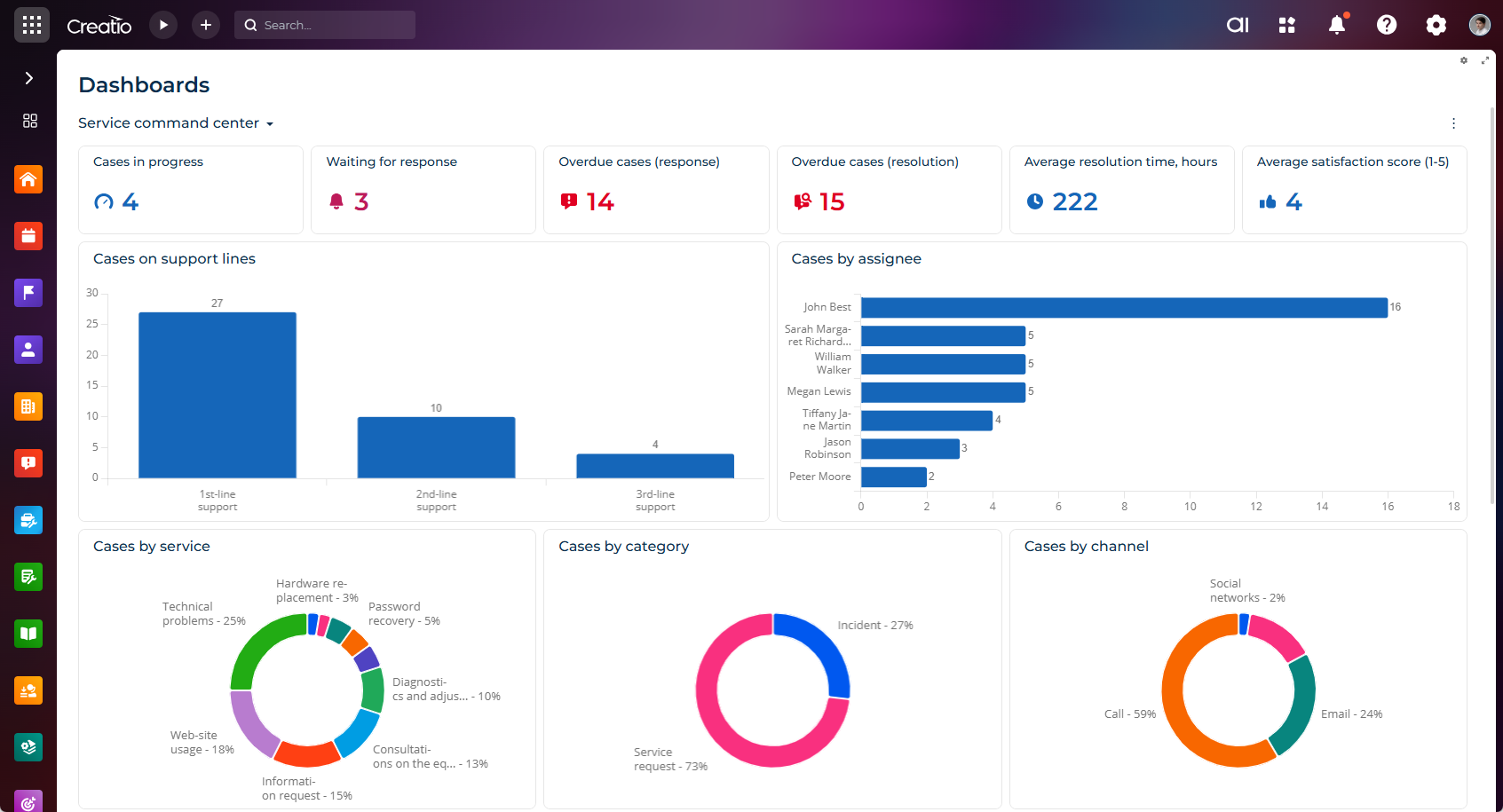
Service desktops in Freedom UI. You can now view a set of role-specific dashboards aimed at improving visibility into service operations in the Dashboards Freedom UI section. These dashboards are delivered as part of the Case Management app. The dashboards solve the following business problems:
- Agent command center: enables support agents to track their active workload, monitor pending cases, and review personal KPIs in real time.
- Case intelligence: provides service managers with insights into case trends and exceptions to help identify performance gaps and improvement opportunities.
- Service command center: delivers a high-level view for service leaders, offering real-time visibility into overall service performance and operational health.
End user experience
Multilingual chats. You can now talk to customers in their preferred language by using Creatio.ai powered translations in the Communication panel chats.
- Translate incoming chat messages using Creatio.ai.
- Translate outgoing messages automatically or manually.
- Translate previous chat messages manually.
- View translated messages in transferred chats if the new agent uses the same language.
- Message templates in chats now match the language of the current conversation automatically if chat translation is enabled and a language is detected. If no detected language is available or chat translation is disabled, templates follow the contact's preferred language, as before.
Turn on the chat translation functionality using the "Enable chat translation" (EnableChatTranslation code) system setting. By default, "false." Learn more: Manage system settings.
Learn more: Translate chats, Integrating custom translation providers for chats.
List settings for specific folders. You can now manage list settings for a specific folder similarly to general list settings. For example, you can do the following:
- Save personal list settings for a folder.
- Save default list settings for all users for a folder.
- Overwrite existing list settings for all users for a folder.
- Restore default list settings for a folder.
The first time you create custom list settings for a specific folder, Creatio saves them as personal settings for the current user. To share these settings with colleagues, save the list settings for the folder for all users after you create the settings. You can save list settings for all users only for folders you created or those you have permissions to edit.
Freedom UI dashboards. It is now possible to view centralized dashboards in the Dashboards Freedom UI section similar to Classic UI.
Performance improvements.
- Creatio now loads reopened pages or pages opened in new browser tabs faster due to additional client-side caching and general page opening optimizations. These changes reduce loading time and enhance responsiveness in multi-tab workflows.
- Timeout for cancelling queries is now managed by the "Data service client query timeout (milliseconds)" (
DataServiceQueryTimeout code) system setting. Out of the box, "120000."
No-code tools
Application Hub
New validations before installing apps.
-
Additional validation were added to the following:
- File integrity before installing apps via the UI, WorkspaceConsole, and Clio.
- All installation files for missing dependencies and compatibility issues before installing apps via the UI, WorkspaceConsole, and Clio.
- The platform version required by dependencies before installing apps via the UI.
- Configuration elements, for example, configuration schemas of the "Creatio.ai skill," "Freedom UI page" of the "Client module," "Add-on," and "Object" types, for references to parent schemas before installing apps via the UI. For the "Data" type, Creatio validates that the corresponding object exists in the environment. If a parent schema or the corresponding object for a "Data" type schema is missing or unavailable in the environment, installation is blocked.
-
Creatio now checks for version conflicts among bundled apps before installing apps via the UI.
Compilation errors. Creatio now checks for unresolved compilation errors before you install an app and warns you about them. However, you can still install the app if other mandatory validations are passed. This helps prevent installation problems caused by prior compilation errors.
Freedom UI Designer
Remove data sources. You can now clean up unused or unnecessary data sources in the Freedom UI Designer.
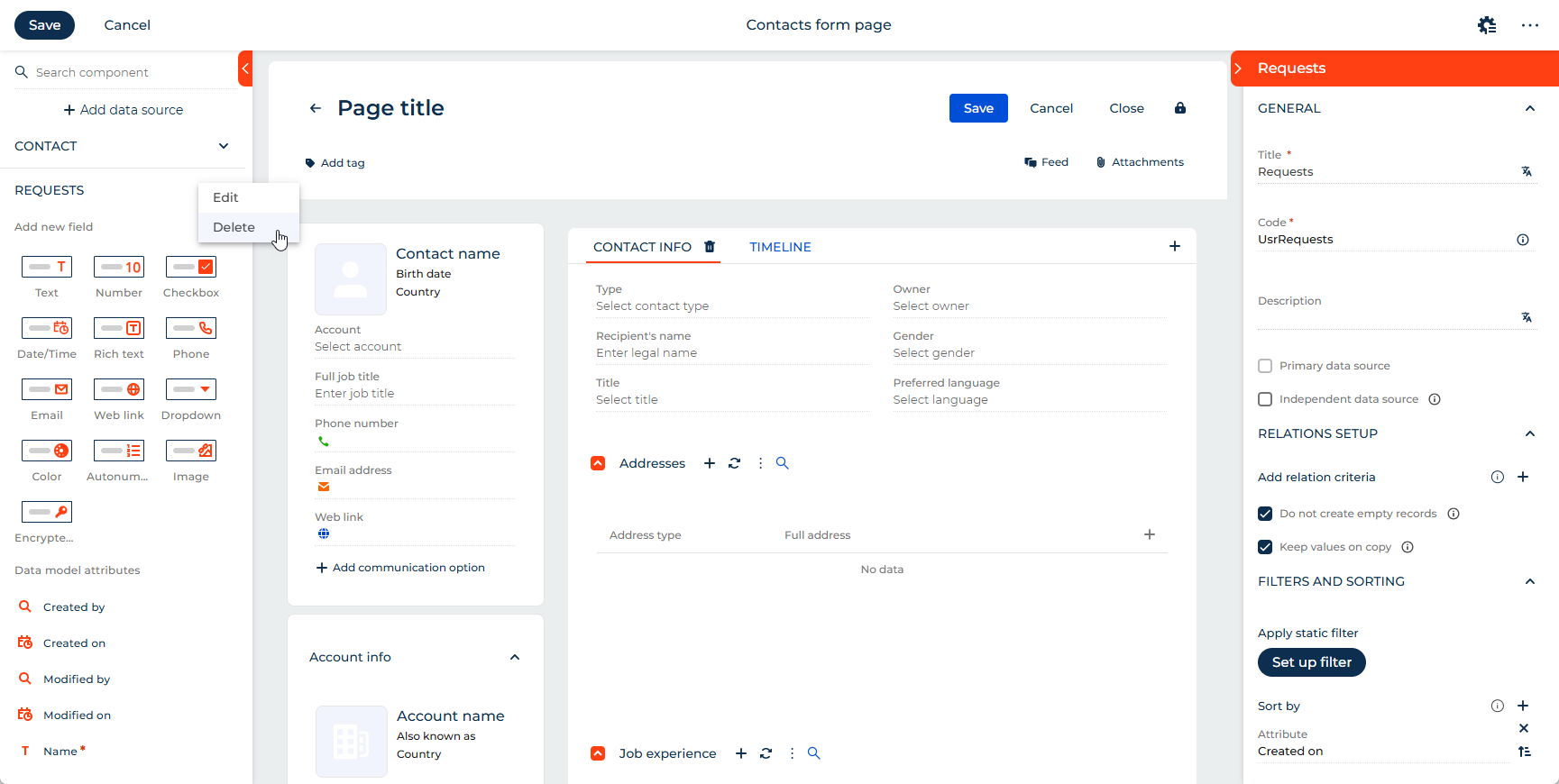
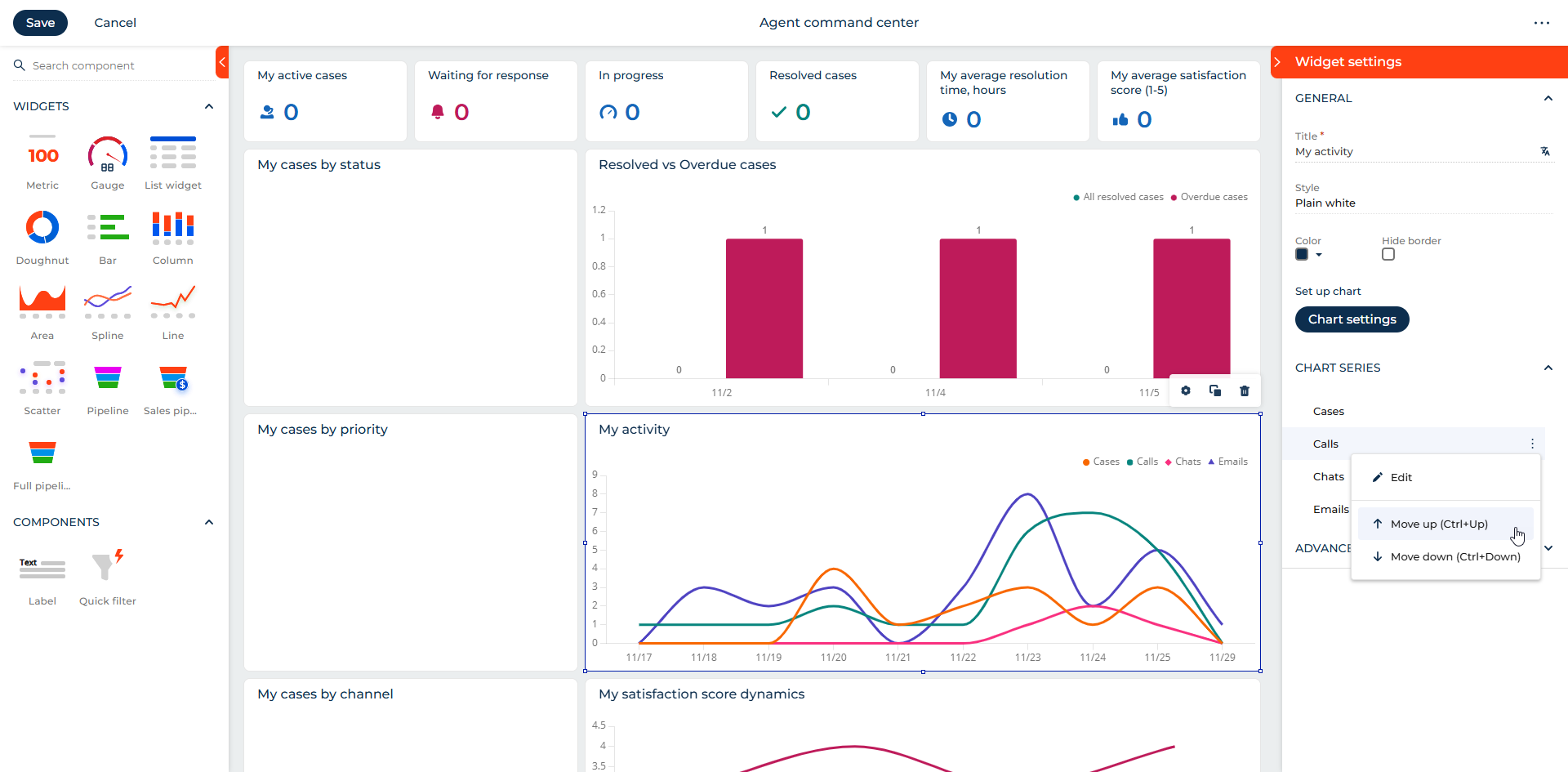
Reorder chart series and menu buttons. It is now possible to reorder chart series in widget as well as menu buttons manually both in Freedom UI Designer and Dashboard Designer.
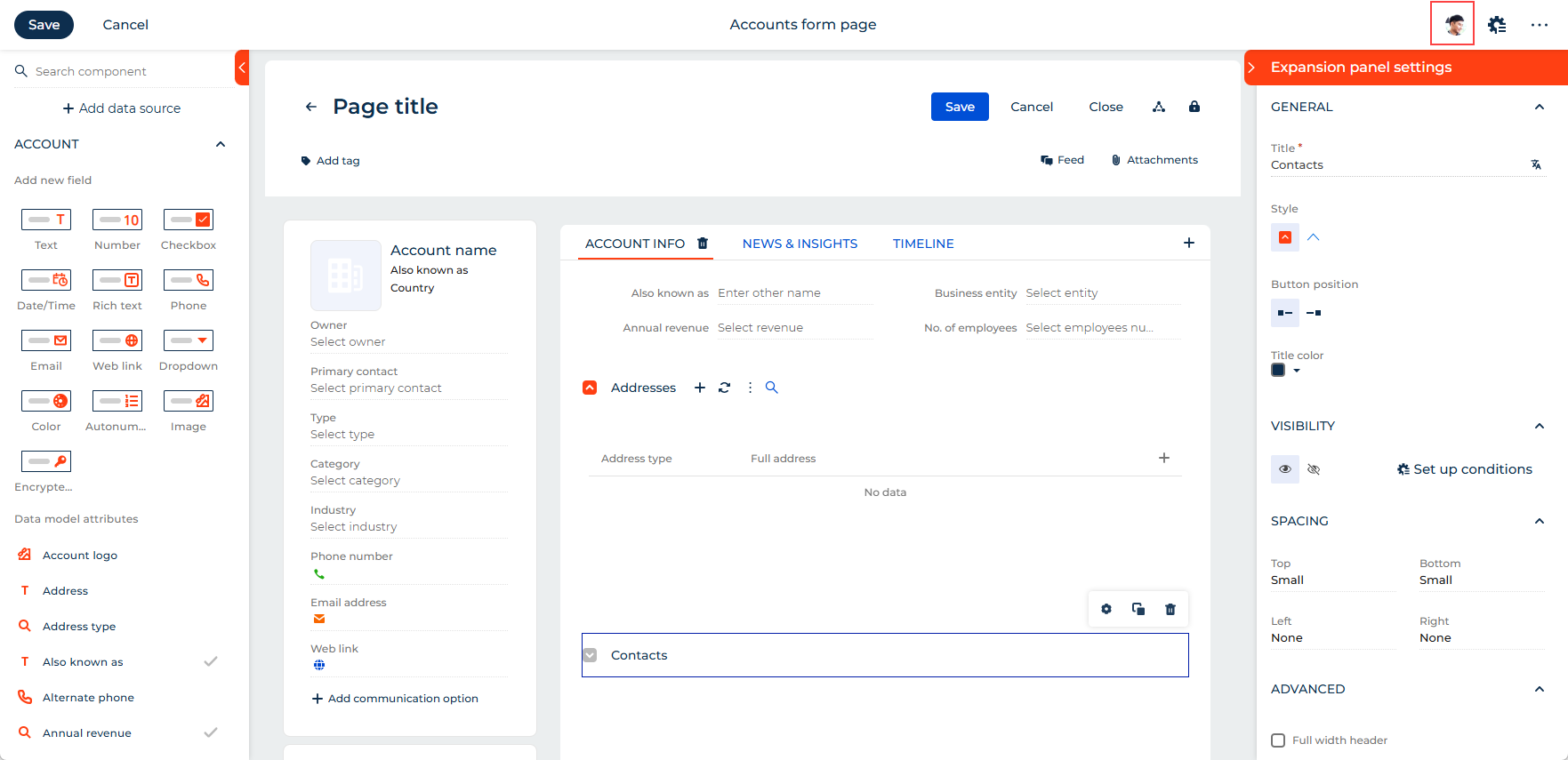
Real-time user presence indicators. You can now reduce the risk of content conflicts and improve development efficiency across teams by viewing who is currently editing a page, its source code, its data sources, or the related object in the Object Designer.
Business rules
Columns from related objects. You can now use columns from related objects in the "Set values" action of the Business Rule Designer. Learn more: Set up business rules.
Business processes
Call web service element stability. You can now implement your own error handling logic within the business process by allowing the element to continue being executed even if the web service call fails due to connectivity errors.
Integrations
Enhanced webhook delivery. It is now possible to improve webhook throughput and improve performance under heavy traffic, all without changes to your existing environments, using the new batching capabilities in the webhook service. When external systems generate large bursts of webhook messages, the new batching mechanism groups them efficiently before sending, significantly reducing system load and preventing queue growth.
OAuth 2.0 on .NET 8. Creatio now supports OAuth 2.0 authorization for deployments on the .NET 8 platform, achieving full OAuth feature parity with the .NET Framework version. This update introduces both client credentials and authorization code flows, enabling secure server-to-server and user-based integrations.
Since version 8.3.2, the OAuth integrated applications section is now visible in the System Designer across both .NET 8 and .NET Framework environments.
OData 4 API for managing files. You can now use a dedicated API to execute CRUD operations with files, regardless of whether they are stored in the Creatio database or in an external file storage such as AWS S3. Learn more: Manage files using OData 4.
Creatio Mobile
Freedom UI Mobile Designer.
It is now possible to configure mobile pages for any mobile workspace without coding using the new Freedom UI Mobile Designer. It is a visual drag-and-drop editor that works similarly to desktop Freedom UI Designer. You can add fields, lists, buttons, attachments, compact profiles, barcode scanners, and other elements.
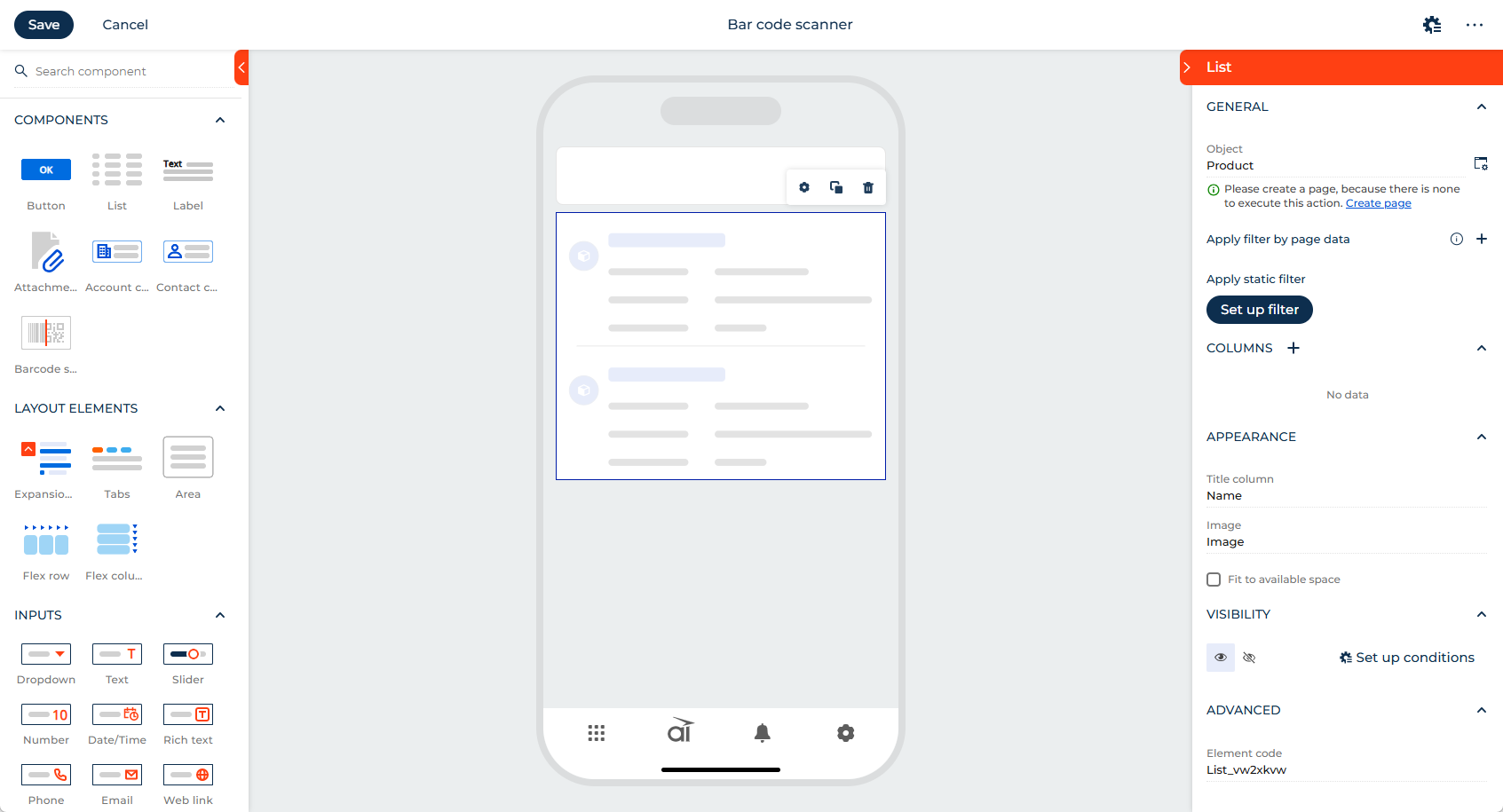
Freedom UI Mobile Designer currently supports the following features:
- Multiple data sources and most field and input types except "Checkbox," "Color," and "Encrypted string." It also contains a unique "Switcher" field and input that works as a toggle button.
- Button, List, Label, Attachments, Account compact profile, Contact compact profile, and new Barcode scanner components. You can fit the list to stretch the entire screen height and be scrollable.
- Expansion panel, Tabs, Flex row/column, Area layout elements. You can fit the tabs to entire screen height and be scrollable. Background of Flex row/column can be transparent.
- Business rules.
Learn more: Freedom UI.
NFC. You can now identify assets in Creatio Mobile quickly and seamlessly by using near field communication (NFC). Scanning an NFC tag automatically links the device to the corresponding record in Creatio using the tag's unique serial number, without writing any data to the tag. Learn more: Scan NFC tags.
Current user role. You can now use the current user role in business rule conditions. Learn more: Set up business rules.
Creatio.ai enhancements.
- Decrease the need to embed confirmation steps into Sub-agent or Agent prompts and ensure predictability in launching critical actions by Creatio.ai by asking the users to confirm the action explicitly in the chat before Creatio.ai starts it. The confirmation message is generated automatically by the LLM based on the action description and parameters.
- Open Creatio.ai directly from Classic UI.
- Search Creatio.ai chats.
Advanced customization
Custom package conversion. The platform architecture has been enhanced by converting the Custom package into a regular package. This update removes unnecessary dependencies and reduces the risk of cyclic dependencies. The Custom package no longer automatically depends on newly created packages and can now be added to version control or exported using the WorkspaceConsole utility. For existing environments, package dependencies remain unchanged to preserve backward compatibility. Creatio functionality no longer uses the "Custom Package Id" (CustomPackageUId code) system setting, which will be removed in future releases. The following functionality has been adapted to work regardless of this system setting: Forecasts, Campaigns, Object permissions, and Change log.
To prevent system errors, it is no longer possible to deactivate or delete a package if it or any of its dependencies are used as the value of "Current package" (CurrentPackageId code) system setting. From now on, if you will try to deactivate or delete the package, Creatio will show a descriptive error message.
Until now, when such package was deactivated, "Current package" (CurrentPackageId code) system setting became empty, which caused errors in Freedom UI Designer and other system elements.
Learn more: Regular package.
Angular update. Creatio platform now uses Angular version 18. This ensures continued compatibility with the latest Angular framework standards and prevents reliance on deprecated or unsupported APIs.
Filter by Creatio.ai skills. You can now identify and manage "Creatio.ai skill" type schemas easily by filtering by them on the Package settings tab of the Application Designer and in the Configuration section. Learn more: Filter the schemas by type.
Numeric and currency values with predefined decimal precision. It is now possible to set up numeric and currency values that have a predefined number of decimal places by using additional data types for object columns, including support for currencies without a fractional part, such as Japanese yen. Learn more: Add a custom object column.
DataForge optimization. DataForge now handles data more efficiently and flexibly using the following optimizations:
- optimized synchronization that avoids unnecessary rewrites
- new APIs for deleting client data and triggering initialization or update flows
- enhanced lookup synchronization with batching and configurable white/blacklists
API for deleted records. If you are developing an integration with Creatio that works in offline mode and synchronizes data back to the system, you might need to detect which records were deleted since the last successful synchronization. Creatio now provides a dedicated REST API that lets you configure delete event logging for selected objects and retrieve delete event logs for those objects at any time. Learn more: Configure delete event logging.
Downloaded file validation. Creatio Classic UI now validates downloaded files in order to handle incomplete uploads. If the declared file size differs from the uploaded size, the backend returns an HTTP "422 Unprocessable Entity" error, which is intercepted on the frontend with a dedicated error message. The functionality is active out of the box, but you can disable it using the DisableFileSizeValidationOnDownload additional feature. Learn more: Implement a custom additional feature.
Clear browser cache storage. You can now clear the IndexedDB browser cache storage for all users in the Configuration section. This helps resolve issues related to outdated or corrupted cached data across user sessions. Learn more: Clear IndexedDB browser cache storage for all users.
Beta testing of new features
The features below are available for beta testing in Creatio version 8.3.2 Twin. If you have any feedback, contact us at: beta@creatio.com. All feedback is appreciated.
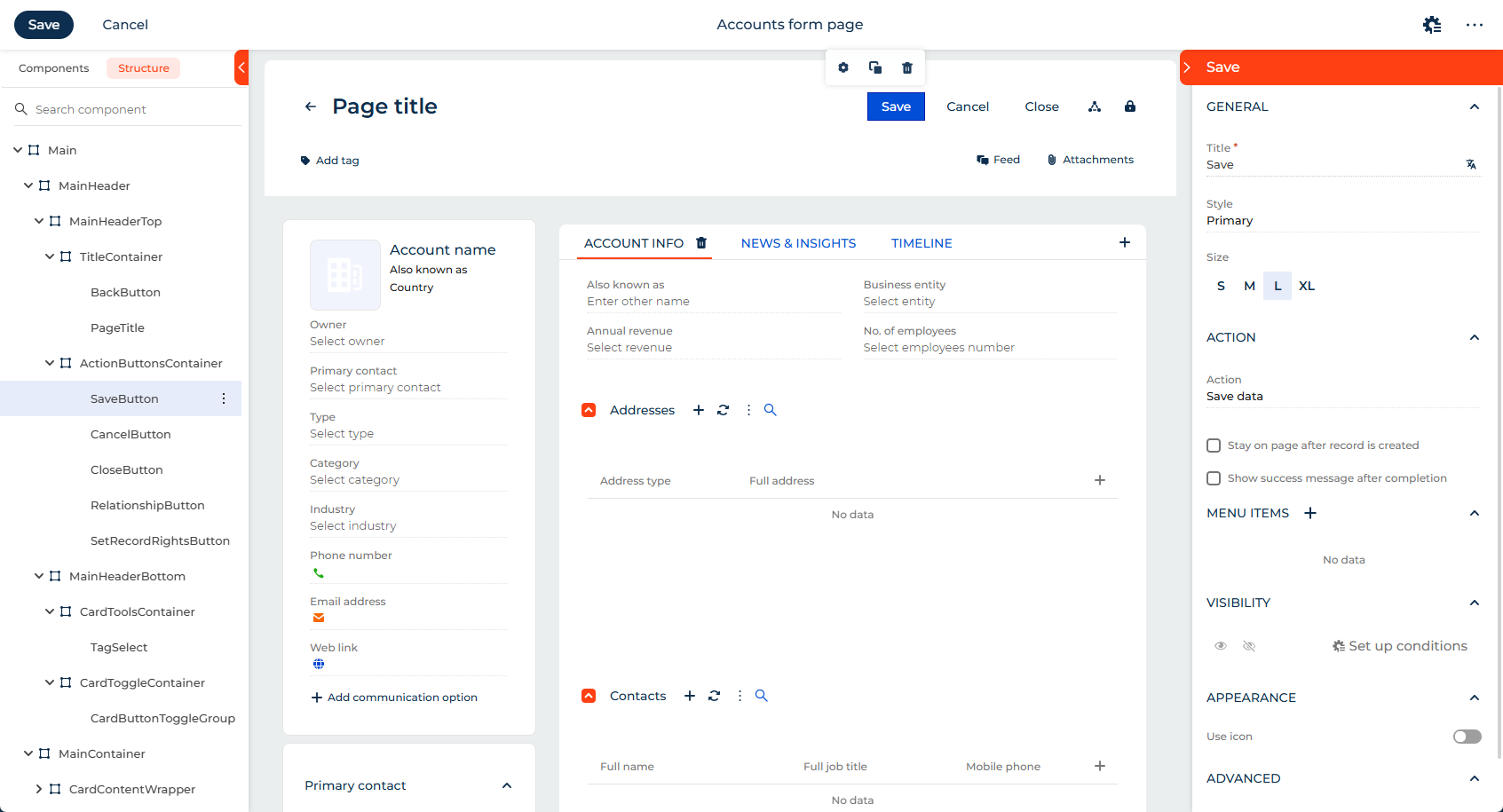
Element hierarchy in Freedom UI Designer and Freedom UI Mobile Designer. You can now manage complex Freedom UI pages easier by using a Structure tab that displays nested components as a tree. To take advantage of this functionality, add and enable the InterfaceDesignerShowStructureTab additional feature. Learn more: Implement a custom additional feature.
Dynamic Progress bar component for DCM stages in Freedom UI Mobile Designer. You can now display DCM case stages in Creatio Mobile apps using a new Progress bar component. The component visualizes the process flow using clearly labeled, color-coded stages, highlights the current stage and status, supports horizontal scrolling for scenarios that have multiple stages, and is fully responsive for mobile use cases, including offline work. To take advantage of this functionality, add and enable the UseMobileProgressBarComponent additional feature. Then, use the component in the Freedom UI Mobile Designer and import the DCM settings to the mobile app. Learn more: Implement a custom additional feature.
Seconds in "Date/Time" type field. You can now improve precision in scenarios like log analysis, SLAs, integrations, and time-sensitive measurements by adding seconds to "Date/Time" type fields. To take advantage of this functionality, add and enable the EnableSecondsForDateTime additional feature. Learn more: Implement a custom additional feature.
Improved OpenID user provisioning. If you have an existing user base in Creatio, you can start using OpenID SSO easier as Creatio now tries to match the user by email if the OpenID sub cannot find an existing user.