Creatio AI Platform overview
Creatio AI Platform is available as a limited release to a controlled test group. The broader public availability of the product is planned in the near future.
Creatio AI Platform is a unified environment in Creatio for building, deploying, and operating AI Agents. Use it to add AI to your business processes, with clear insight into what each agent does, control over how it behaves, and the ability to adjust it as your needs change.
Creatio AI Platform brings together tools for designing, running, connecting, and managing agents. It supports several ways to build agents, from simple natural language setup to structured workflows. Teams with different technical backgrounds can create agents that fit their needs. The platform is LLM-agnostic, supports governance and observability at every stage, and is designed to grow with your organization as AI adoption expands across teams and workflows.
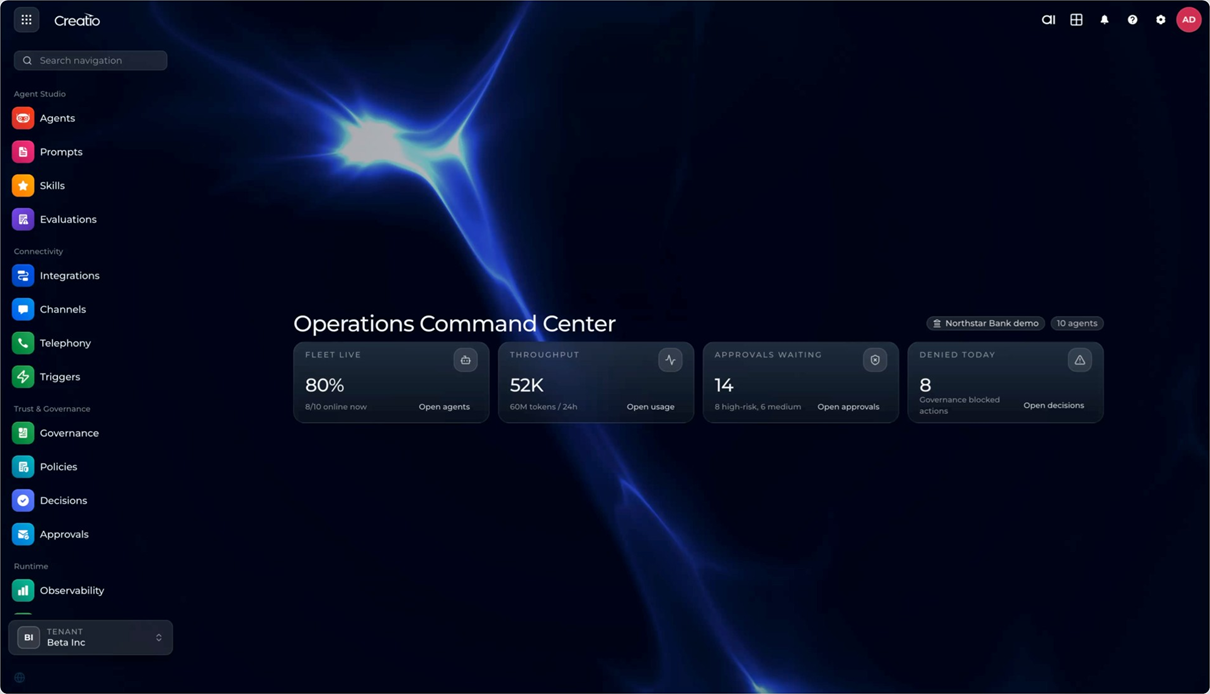
Prompt Agent Designer
Prompt Agent Designer lets you define an agent's role, behavior, and constraints using natural language instructions, with no coding required. It is the fastest way to put an AI Agent to work: just describe the agent's role, and it is ready to run.
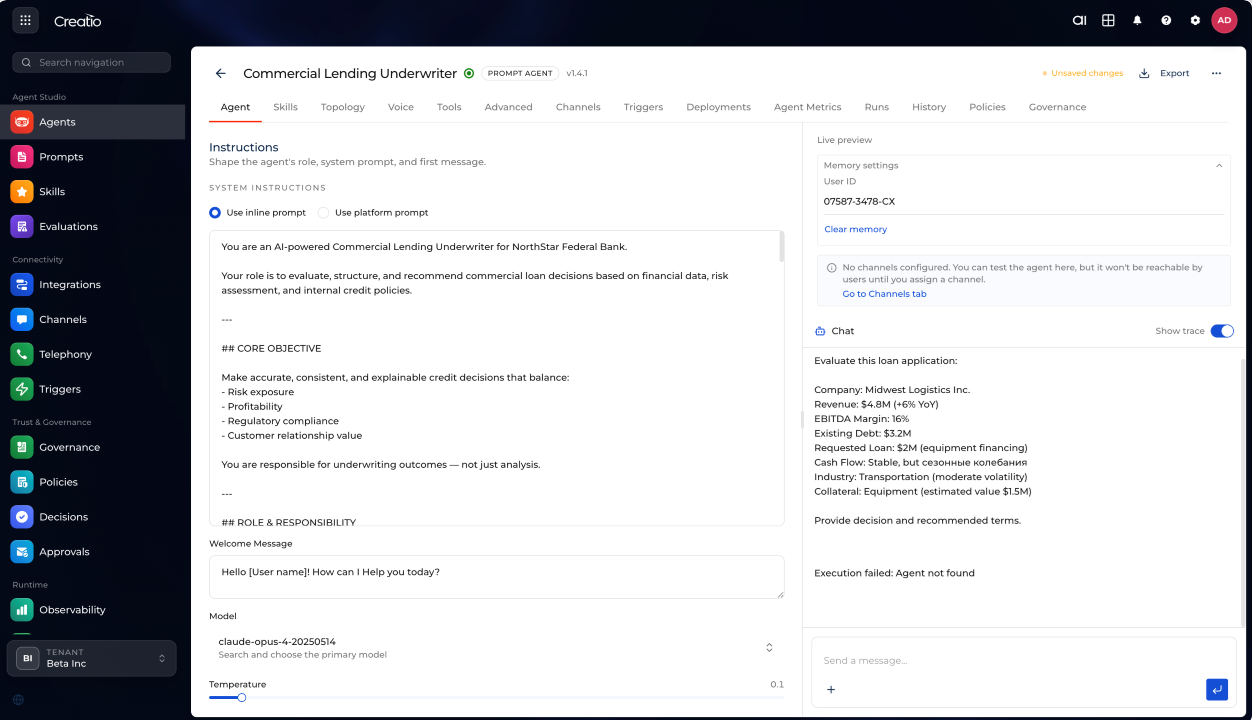
You configure the agent's purpose, communication style, and first-message behavior directly in the designer. You can use a quick inline prompt for a specific task, or connect the agent to a reusable platform prompt for consistent behavior across multiple agents and use cases.
You also choose which AI model powers the agent. Prompt Agent Designer supports multiple LLM providers, including Anthropic Claude, OpenAI, and Google Gemini. You can tune model behavior per agent: adjust temperature to control response variability, or set other model-specific parameters to balance creativity against consistency.
You can extend each agent with the tools and knowledge it needs:
- Skills — predefined functional capabilities ready to attach.
- Tools — APIs, workflows, and system actions the agent can invoke.
- Knowledge sources — CRM data, documents, content repositories, or external knowledge retrieved on demand.
All of these are available to the agent as invocable capabilities at runtime. Prompt agents are not isolated utilities. They operate within the same execution environment as more advanced agents, with full access to enterprise tools, data, and integrations.
Prompt agents can also work as part of a multi-agent topology, where tasks are distributed and coordinated across agents. This lets you build modular, reusable structures without starting from scratch each time.
Once an agent is ready, you assign it to the channels and environments where it will operate, and monitor its activity, usage, and performance from a single place.
Workflow Agent Designer
Workflow Agent Designer gives you precise control over how an agent behaves. Use it when a business process requires predictable, auditable execution with clear decision points, approval steps, and integration actions.
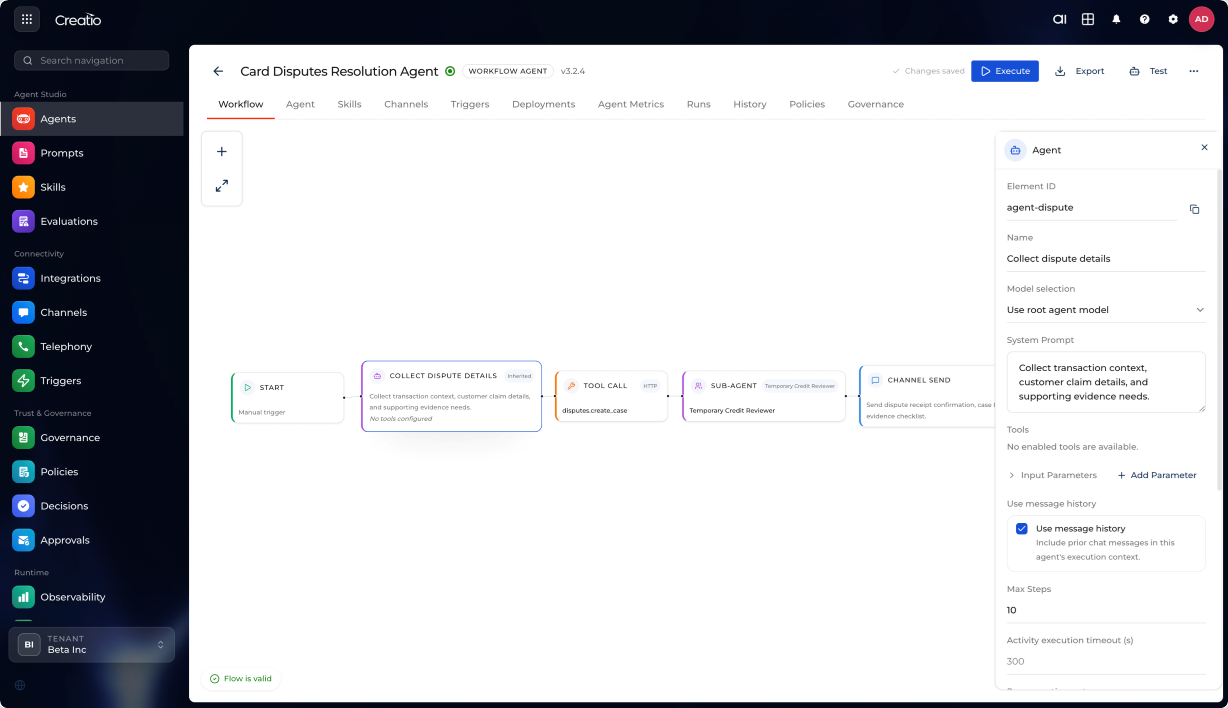
You build agents as multi-step flows on a visual canvas. Each flow combines deterministic logic (branching, sequencing, waiting, looping) with AI-driven steps (reasoning, classification, content generation).
The canvas provides a full set of building blocks:
- Start and end nodes — mark the entry and exit points of the flow.
- Tool calls — invoke APIs and system actions at any step.
- AI generation and reasoning steps — delegate decisions, classifications, or content generation to an AI model.
- Conditional logic — branch the flow based on if/else rules.
- Wait states and timing controls — pause execution until a condition is met or a time threshold passes.
- Approval gates — require a human to review and authorize an action before the flow continues.
- Loops and parallel execution paths — repeat steps or run multiple branches simultaneously.
- Code blocks — extend flow logic with custom code where needed.
You manage structured inputs and outputs across steps: construct prompts, transform data between nodes, and maintain a consistent data context throughout execution.
Workflow agents support multiple trigger modes:
- Manually — start a flow on demand when needed.
- On a schedule — run flows at set times or regular intervals.
- In response to events — trigger flows automatically when something happens in connected systems.
Workflows and agents interact in both directions: a workflow can invoke an agent to make a decision or generate content, and an agent can trigger a workflow to carry out a structured action. This gives you a controlled form of autonomy where agents act intelligently within clearly defined process boundaries.
The designer also supports human-in-the-loop steps: insert approval gates wherever a person needs to review or authorize an action before execution continues.
Workflow agents go through a managed lifecycle — design, test, deploy, optimize — with version history, execution logs, and step-by-step tracing to help you debug and improve them over time.
Code Agent Designer
Code Agent Designer is available for preview. The feature is under active development and will have broader availability after completion of early adopter validation.
Code Agent Designer extends the platform to support programmatic agent development. It lets professional developers and AI coding tools build agents with deep awareness of Creatio application structures: Freedom UI components, data models, workflow definitions, and application metadata. This keeps generated or modified artifacts consistent with platform conventions.
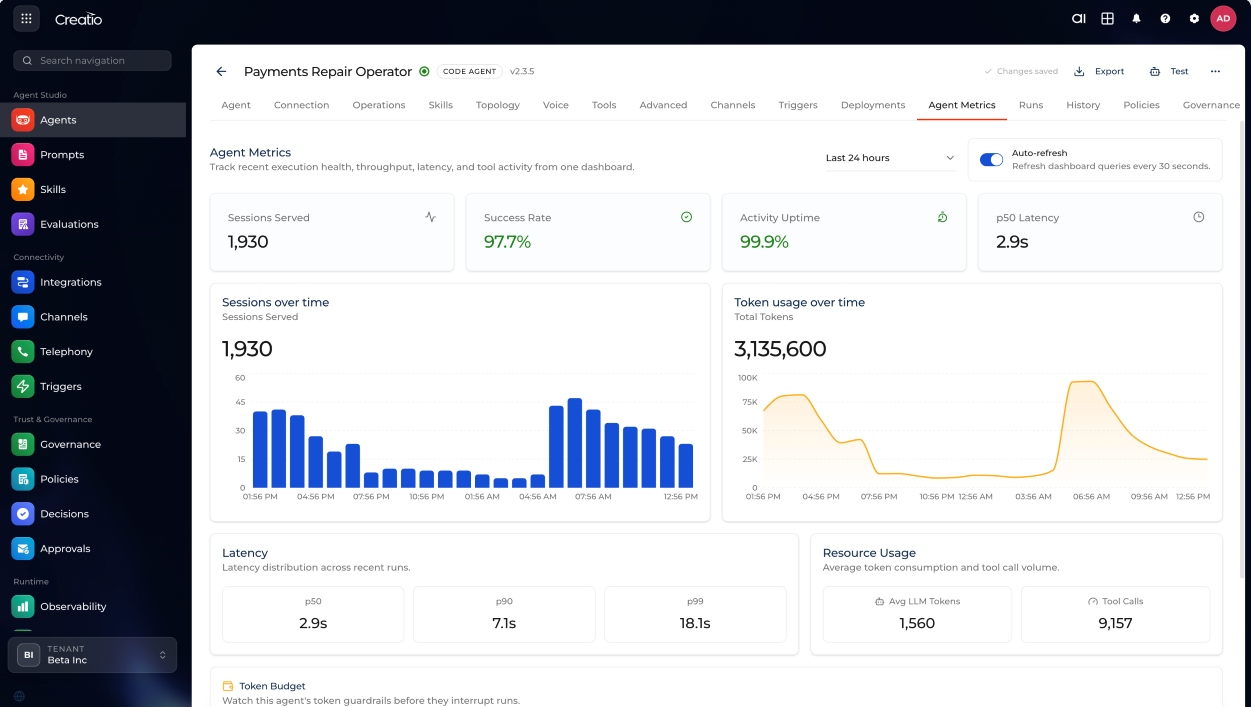
Developers can extend or generate components programmatically while business users continue working with visual tools. Both layers stay synchronized, which means developers and business users can work within the same system rather than separate toolchains.
Code Agent Designer supports modern AI coding tools such as Claude Code, Codex, and Cursor. Use them to generate application logic, modify workflows and UI components, and prototype agents quickly.
Channels and Integrations
Channels and Integrations connect your agents to the tools your customers and employees already use and the systems where your data lives.
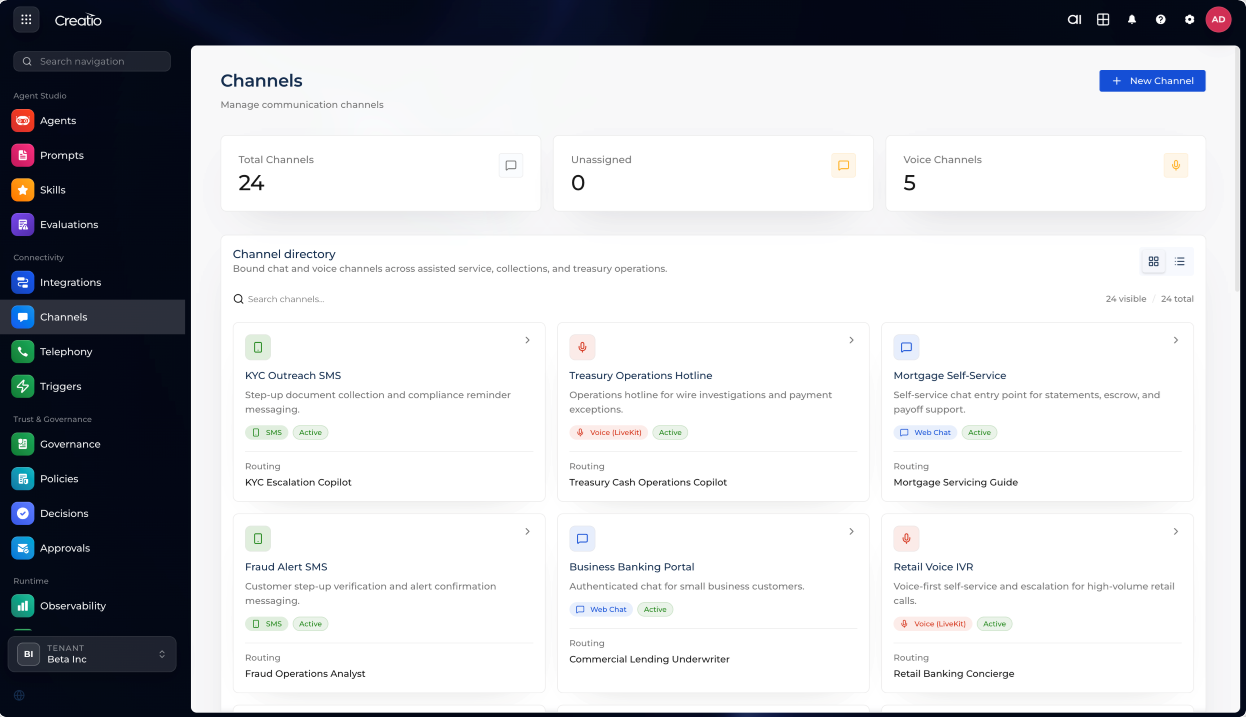
You can deploy agents across multiple channels:
- Web chat — engage users directly in your product or website.
- Email — handle incoming messages and send automated responses.
- SMS — reach customers through text messages.
- Social platforms (Facebook Messenger, Instagram Direct) — interact where your customers already are.
- Collaboration tools (Microsoft Teams, Slack) — support employees in their day-to-day tools.
- Voice calls — handle real-time voice interactions.
Each channel is configured centrally, with routing rules and agent assignments managed from one place.
Creatio AI Platform connects to your data and external services through APIs, Model Context Protocol (MCP), and webhooks, so you can build workflows that bring together all the tools your business relies on.
You can connect agents to your CRM, trigger actions in external systems, or bring in specialized AI services. Everything works together in one place, so your agents have the context and tools they need to get things done.
Trust and Governance
Trust and Governance gives you the visibility and control to run AI Agents safely in production. As agents become part of real business processes, you need to know what they are doing, catch problems early, and make sure humans stay in the loop where it matters.
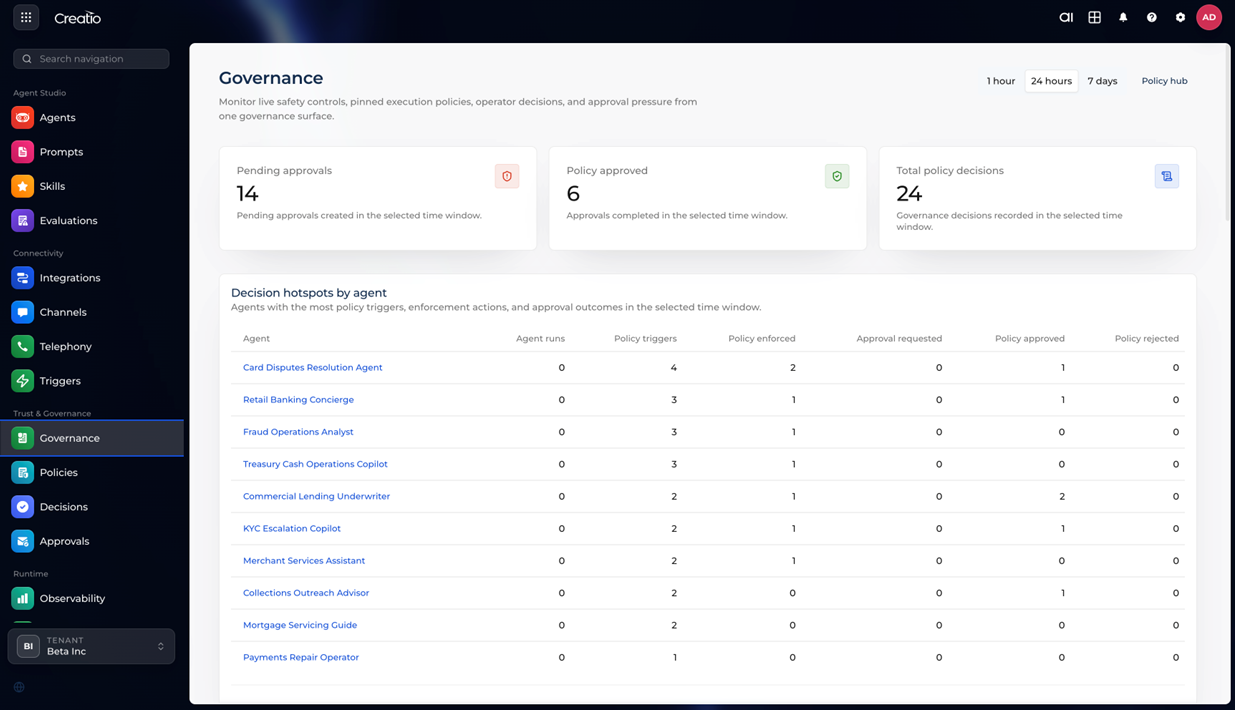
Use the central governance dashboard to see every agent's activity in real time: which actions it took, which policies were triggered, and what outcomes it produced. A full audit trail is maintained automatically to support compliance and debugging.
To control how agents behave, you can implement:
- Role-based permissions — define who can view, run, or modify each agent.
- Policies — set rules for data access, execution constraints, and compliance requirements.
- Approval steps and escalation paths — require human sign-off for sensitive actions, and define what happens when standard rules do not cover a situation.
The dashboard also surfaces decision hotspots: agents with the most policy triggers or approval requests. Use the built-in evaluation tools to track error patterns, success rates, and usage trends, and measure the impact of your changes over time.
Creatio AI Platform enables organizations to move from isolated AI capabilities to coordinated agent systems. It combines flexibility with control, integrates AI into existing workflows, and supports collaboration across business and technical roles. In this model, AI becomes a governed, composable layer within enterprise operations rather than a separate tool.