Financial data overview
Before you approve a loan application, you need a trustworthy picture of the customer's income, expenses, and liabilities. When users keep these figures in different places and re-enter them for every new application, they lose time, and underwriters cannot tell which numbers someone has already checked. Creatio keeps a single financial profile for each customer. Users collect the figures once during application submission, and underwriters verify them at the "Underwriting" stage. Creatio reuses verified data in later applications, keeping the full history of changes.
Financial data capabilities
Creatio covers the entire life cycle of a customer's financial data:
- Income, expenses, and liabilities are collected while you submit an application.
- Each record at the "Underwriting" stage is verified and the result is stored for compliance and credit decisions.
- History of every record is kept. If the record cannot change directly, for example, when someone has already verified it, the current version is archived and a new record is saved with the updated values. Every application therefore keeps its own snapshot of the customer's finances.
Financial data storage
Creatio stores financial data on two levels. The "Contact income" (ContactIncome code), "Contact expense" (ContactExpense code), and "Contact liability" (ContactLiability code) objects hold the customer's actual figures: the type, amount, currency, frequency, and start and end dates of each record, plus its verification status, verification date, rejection reason, and the user who verified it. Creatio links all these records to the contact.
The "Contact income in application form" (ContactIncomeInAppForm code), "Contact expense in application form" (ContactExpenseInAppForm code), and "Contact liability in application form" (ContactLiabilityInAppForm code) objects tie the same figures to a specific application. They contain the same financial and verification fields and link the contact-level record to the application form. This way, every application keeps the numbers on which the decision relied, even after the customer's finances change.
When a user enters financial data in an application, Creatio creates the record on both levels, except for the Gross monthly income field on simple lending product forms, which Creatio copies directly to the contact profile without creating a separate income record. When an underwriter verifies the record, Creatio updates the customer's profile from the application. Creatio then offers verified records and records that need re-verification in new applications, so users never enter the same data twice. Learn more: Synchronize financial data.
Financial data management locations
-
Contact page. The Financial summary tab groups the customer's income, expenses, and liabilities in expansion panels. Records you add here belong to the contact, but you can verify them only within an application.
Fig. 1 Financial data on the contact page 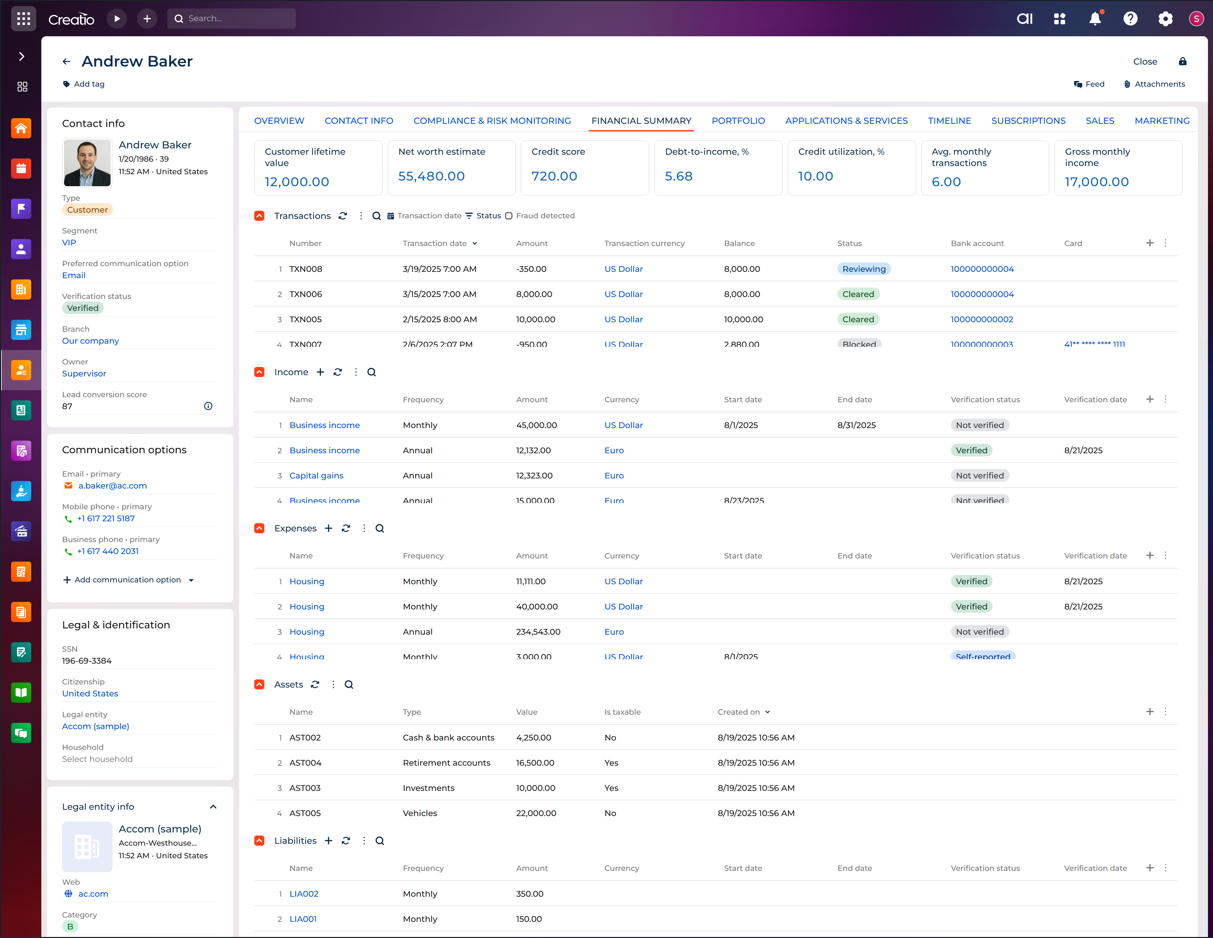
-
Application submission page for simple lending products, such as credit cards, lines of credit, and unsecured personal loans. The user enters high-level figures, monthly housing expense, and gross monthly income, in the Financial data panel on the Customer details tab.
Fig. 2 Financial data on a simple lending product 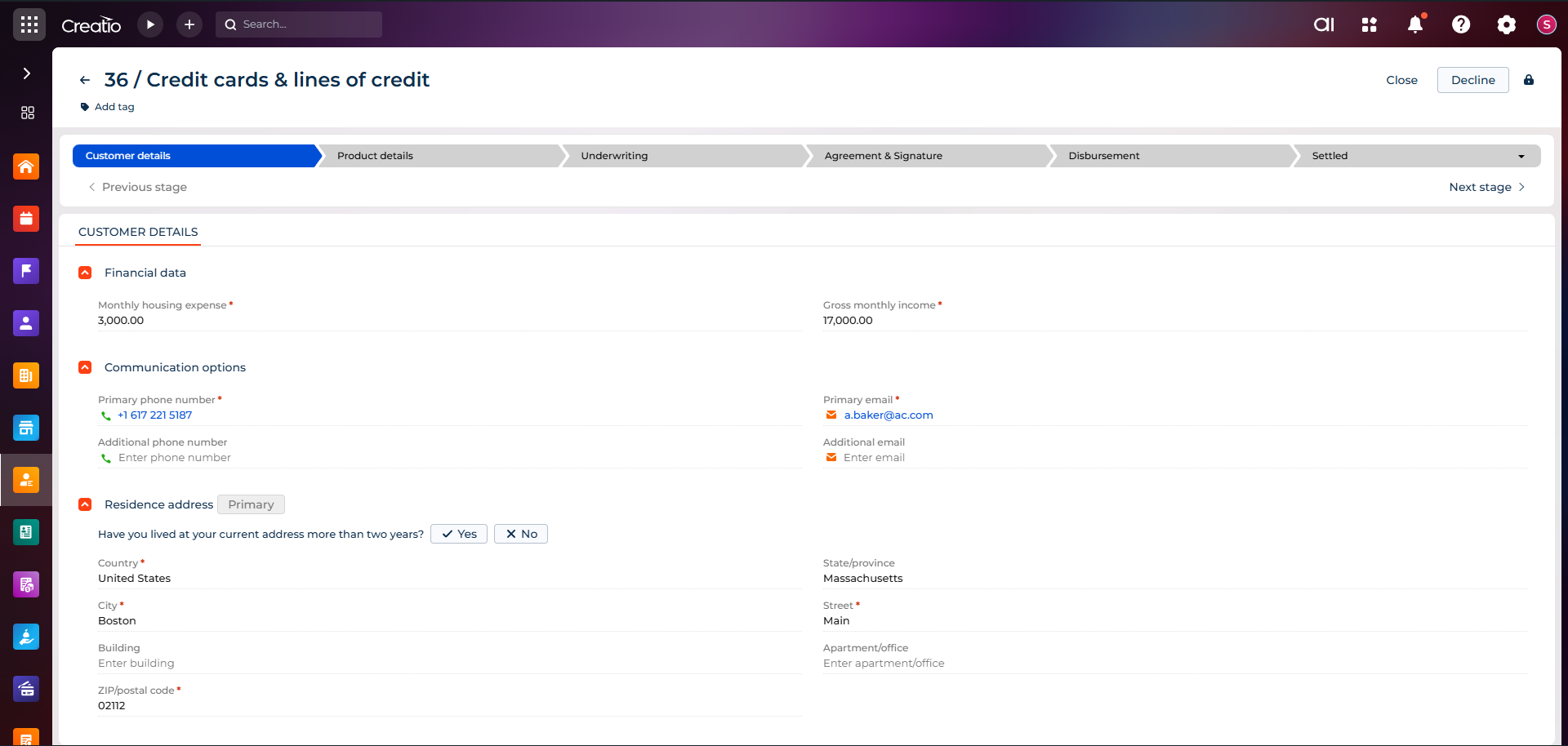
-
Application submission page for complex lending products, such as auto loans. The user enters detailed income, expenses, and liabilities in the lists on the Financial details tab, and Creatio links them to the customer's profile.
Fig. 3 Financial data on a complex lending product 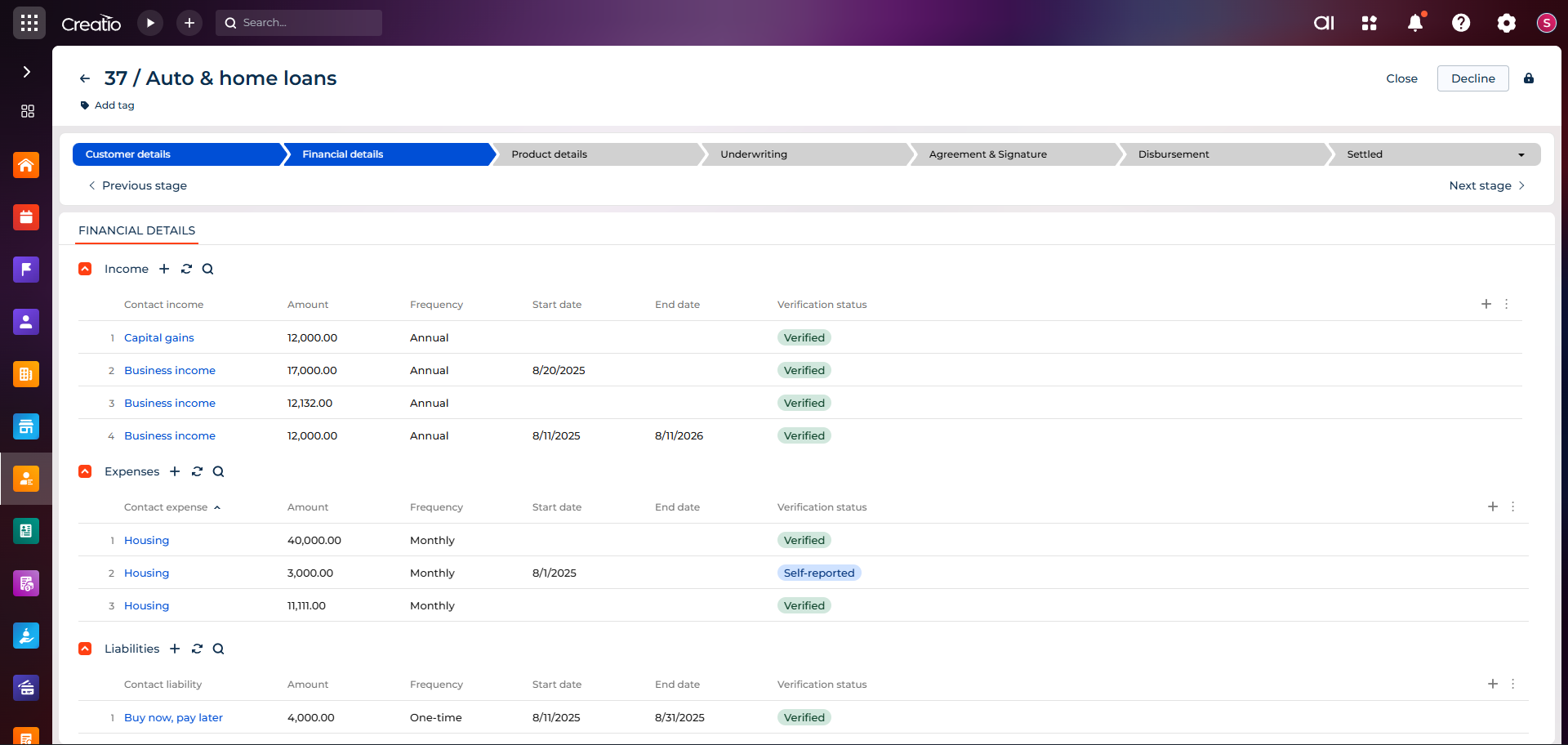
-
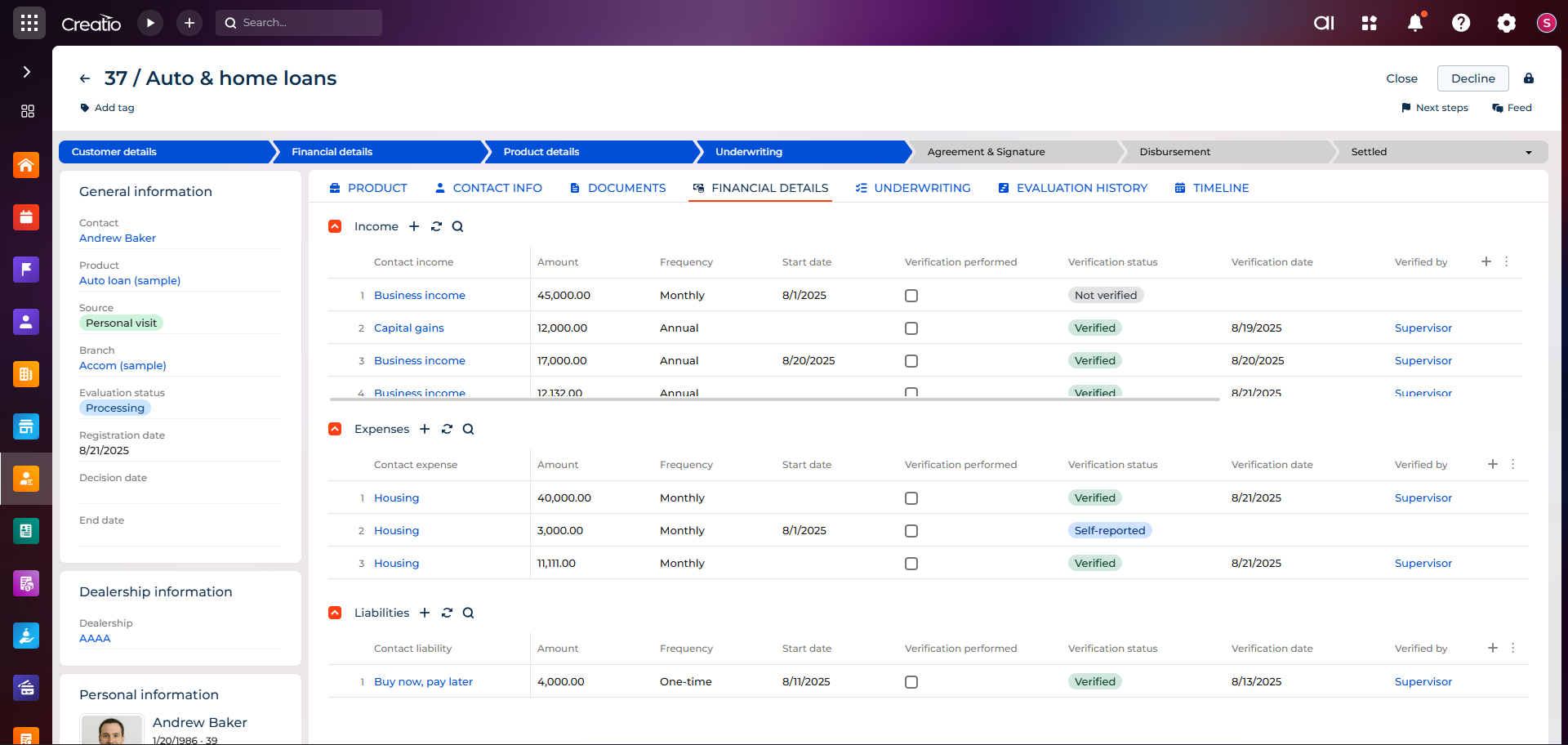
Application page at the "Underwriting" stage. The Financial details tab shows every financial record of the application. The underwriter changes the verification status of a record and specifies the rejection reason.
Fig. 4 Financial data during underwriting