Dynamic parameter overview
Financial products differ in what has to be captured for each deal. A deposit needs an amount and an interest rate, a credit card needs a limit and a number of permitted monthly withdrawals. You also want to ensure that a single component covers every product, and that values entered by hand match what the product actually permits. The Dynamic parameters component, which can include various product parameters, solves both problems.
A product parameter is a configurable characteristic defined for the product, such as a deposit amount or an interest rate. The component reads the parameters defined for the product selected on the record and builds the corresponding fields on the page. Creatio retrieves the values from the product configuration, applies them to each new record, and enforces the validation defined for each parameter. This includes allowed value ranges, permitted lookup field values, and required fields. This keeps entered data consistent with the product configuration, reduces manual errors, and lets you add or change products without modifying the page.
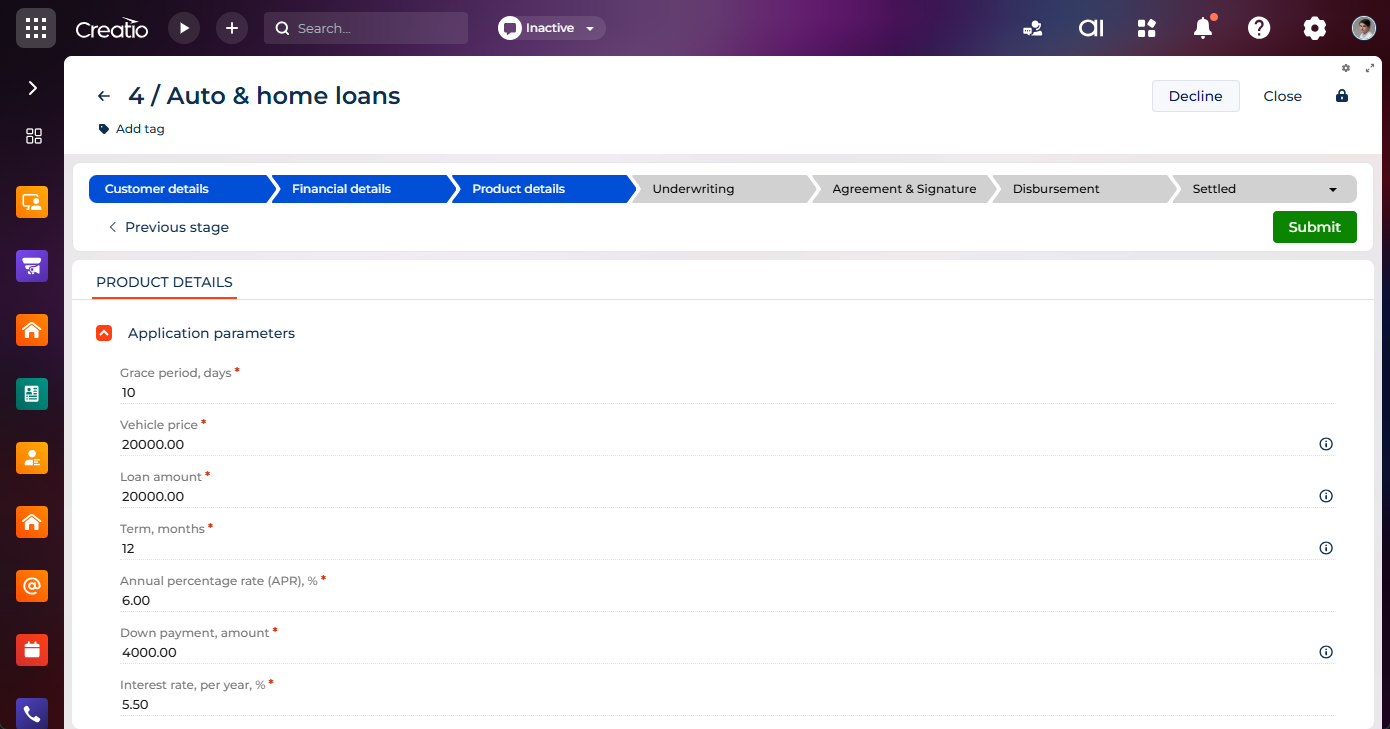
Parameter sets in applications and opportunities
Creatio builds the parameter set either from the product or from the customer need. A customer need records what the customer asks for before a specific product is chosen.
-
Applications section — parameters come from the "Product detail" (
ProductConditioncode) object record for the selected product. The parameters appear on the Product details tab of the submission page and on the Product tab of the application page. -
Opportunities section — the Product details tab shows the following sets:
- a set built from the customer need that captures what the customer asks for
- a set built from the product that is suggested
Thus, an opportunity records the customer's requirements early and the product parameters once a product is suggested. An application works with the product-driven set only.
Creatio populates parameter values automatically and can carry them over between sets, for example, from the customer need to the product set, or from a linked record such as an existing credit card. Whether you can edit a parameter value depends on the stage of the record. Out of the box, this is the "Product details" stage for applications and the following stages for opportunities:
- Qualification
- Presentation
- Offer structuring
Configure the parameter editability per stage for applications and opportunities in the Application stages and Opportunity stages lookups, respectively. Learn more: Work with dynamic parameters.
Add and set up the component using low-code.
Creatio includes only parameters whose Parameter classification field is set to "Product feature."
Supported data types
Data type | Example |
|---|---|
Integer | Number of monthly withdrawals. |
Decimal | Annual performance yield (APY), deposit amount. |
Lookup | Deposit method, currency. |
String | Customer need description. |
Boolean | Issue debit card. |
Creatio always displays boolean parameters as read-only. For a "yes"/"no" value that the user must select, use a lookup parameter based on the Base Yes/No lookup instead of a boolean parameter.