Toggle panel layout element
Toggle panel is a layout element to add a tab area to the page. Learn more: Toggle panel (user documentation).
View an example of a configuration object that sets up the functionality of the Toggle panel layout element below.
viewConfigDiff: /**SCHEMA_VIEW_CONFIG_DIFF*/[
    {
        "operation": "insert",
        "name": "ButtonToggleGroup_3cvlvfm",
        "values": {
            "for": "TabPanel_orubldb",
            "fitContent": true,
            "type": "crt.ButtonToggleGroup",
            "direction": "row",
            "gap": "medium",
            "size": "default",
            "shape": "rounded",
            "contentAlign": "center",
            "allowUntoggle": false,
            "selectedTab": {
                "value": "TabContainer_5m9y2th"
            },
            "badgeConfig": {
                "color": "primary",
                "offset": -4
            },
            "toggleViewMode": "dropdown"
        },
        "parentName": "MainHeaderBottom",
        "propertyName": "items",
        "index": 1
    },
    {
        "operation": "insert",
        "name": "TabPanel_orubldb",
        "values": {
            "type": "crt.TabPanel",
            "items": [],
            "mode": "toggle",
            "fitContent": true,
            "styleType": "default",
            "bodyBackgroundColor": "primary-contrast-500",
            "layoutConfig": {
                "minWidth": 368,
                "maxWidth": 368
            },
            "selectedTabTitleColor": "auto",
            "tabTitleColor": "auto",
            "underlineSelectedTabColor": "auto",
            "headerBackgroundColor": "auto",
            "allowToggleClose": false,
            "isToggleTabHeaderVisible": true,
        },
        "parentName": "CenterContainer",
        "propertyName": "items",
        "index": 1
    },
    {
        "operation": "insert",
        "name": "TabContainer_3ak7zwp",
        "values": {
            "type": "crt.TabContainer",
            "tools": [],
            "items": [],
            "caption": "#ResourceString(TabContainer_3ak7zwp_caption)#",
            "badge": {
                "visible": true
            },
            "icon": "add-button-icon",
            "iconSize": "large",
            "padding": {
                "left": "medium",
                "right": "medium"
            }
        },
        "parentName": "TabPanel_orubldb",
        "propertyName": "items",
        "index": 0
    }
]/**SCHEMA_VIEW_CONFIG_DIFF*/,
ButtonToggleGroup element
string name
Code of a Toggle panel layout element. Starts with the "ButtonToggleGroup" prefix.
string for
Code of a TabPanel element for which a ButtonToggleGroup element is a parent element. Starts with the "TabPanel" prefix.
string type
Type of a Freedom UI element. For ButtonToggleGroup element, "crt.ButtonToggleGroup."
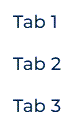
string direction
Specifies the orientation and direction of the nested tabs' main axis to which nested tabs align. By default, "row."
Available values

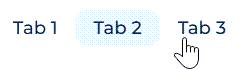
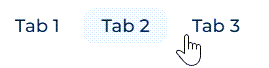
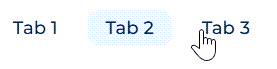
string gap
Define the column and row spacing between nested tabs.
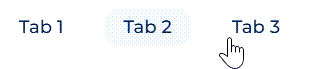
string size
Set size of nested tabs. By default, "default." Regardless of text length in nested tabs, their size is the same.

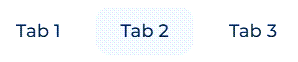

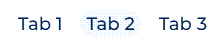

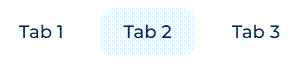
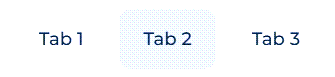
string shape
Set shape of nested tabs. By default, "default."


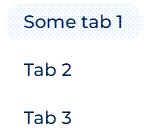
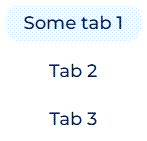
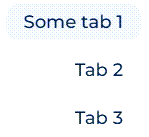
string contentAlign
Set text align of nested tabs. By default, "start."
boolean fitContent
Whether to fit the width of the Toggle panel to its content. By default, "false."
Available values
Value | Description |
|---|---|
true | The width of the Toggle panel fits its content. |
false | The width of the Toggle panel is not limited by its content. |
boolean allowUntoggle
Whether to close the toggle panel by clicking on a nested tab. By default, "true." To forbid closing the toggle panel, set allowToggleClose property to "false."
Available values
Value | Description |
|---|---|
true | Clicking on nested tab closes the toggle panel. |
false | Clicking on nested tab leaves the toggle panel open. |
object selectedTab
Configure the tab that opens by default when a record page is opened. If you switch to a different tab in the toggle panel, Creatio saves it in the user profile and opens the previously open tab on the record page.
Parameters
Name | Description |
|---|---|
value | The code of a nested tab. |
BadgeConfig badgeConfig
Configure the notification mark properties.
Creatio displays the notification mark on the top right corner of the nested tab and lets you permanently display the notification mark or display the notification mark based on the attribute value. Instructions: Customize toggle panels.
Parameters


string toggleViewMode
Configure the view mode for headings of nested tabs. By default, "button."
Available values

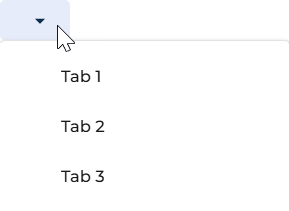
TabPanel element
The TabPanel element contains the tab area of the Toggle panel layout element. Learn more: TabPanel element.
string type
Type of a Freedom UI element. For the TabPanel element used in toggle mode, "crt.TabPanel."
array items
Collection of TabContainer elements nested in the TabPanel element.
string mode
Display mode of the TabPanel element. For Toggle panel layout element, "toggle."
boolean fitContent
Whether to fit the width of the tab area to its content. By default, "false."
Available values
Value | Description |
|---|---|
true | The width of the tab area fits its content. |
false | The width of the tab area is not limited by its content. |
string styleType
Visual style of the tab area. By default, "default." Learn more: TabPanel element.
string bodyBackgroundColor
Background color of the tab area body. By default, "primary-contrast-500." Learn more: TabPanel element.
string selectedTabTitleColor
Color of the selected tab title. By default, "auto." Learn more: TabPanel element.
string tabTitleColor
Color of unselected tab titles. By default, "auto." Learn more: TabPanel element.
string underlineSelectedTabColor
Color of the underline beneath the selected tab. By default, "auto." Learn more: TabPanel element.
string headerBackgroundColor
Background color of the tab header area. By default, "auto." Learn more: TabPanel element.
LayoutConfig layoutConfig
Configure width of tab area.
Parameters
Name | Type | Description |
|---|---|---|
minWidth | number | Minimum width of tab area. |
maxWidth | number | Maximum width of tab area. |
boolean isToggleTabHeaderVisible
Whether to hide headings of nested tabs. By default, "true."
Available values
Value | Description |
|---|---|
true | Headings are shown. |
false | Headings are hidden. |
boolean allowToggleClose
Whether to display or hide  button that closes toggle panel. By default, "true." To forbid closing the toggle panel, set
 allowUntoggle property to "false."
Available values
Value | Description |
|---|---|
true | The |
false | The |
TabContainer element
The TabContainer element represents an individual tab within the TabPanel element. For properties shared with the Tabs layout element, learn more: TabContainer element.
array tools
Collection of elements displayed in the tab header area, for example, labels or buttons.
string icon
Icon displayed on the tab. Requires the iconPosition property to be set to a value other than "only-text."
string iconSize
Size of the tab icon. By default, "large." Requires the icon property.


BadgeConfig badge
Configure the notification mark on the tab. Learn more: badgeConfig.
FlexContainer element
Flex container layout element to add elements to the tab header area. Learn more: Flex container layout element.
See also
Overview of Freedom UI Designer and its elements (user documentation)