Use Creatio.ai in Mobile Creatio
Creatio.ai is natively embedded AI functionality in the core of Creatio Freedom UI, designed to empower organizations with intelligent automation by acting as a virtual agent assistant to the end user performing tasks. Learn more: Creatio.ai overview.
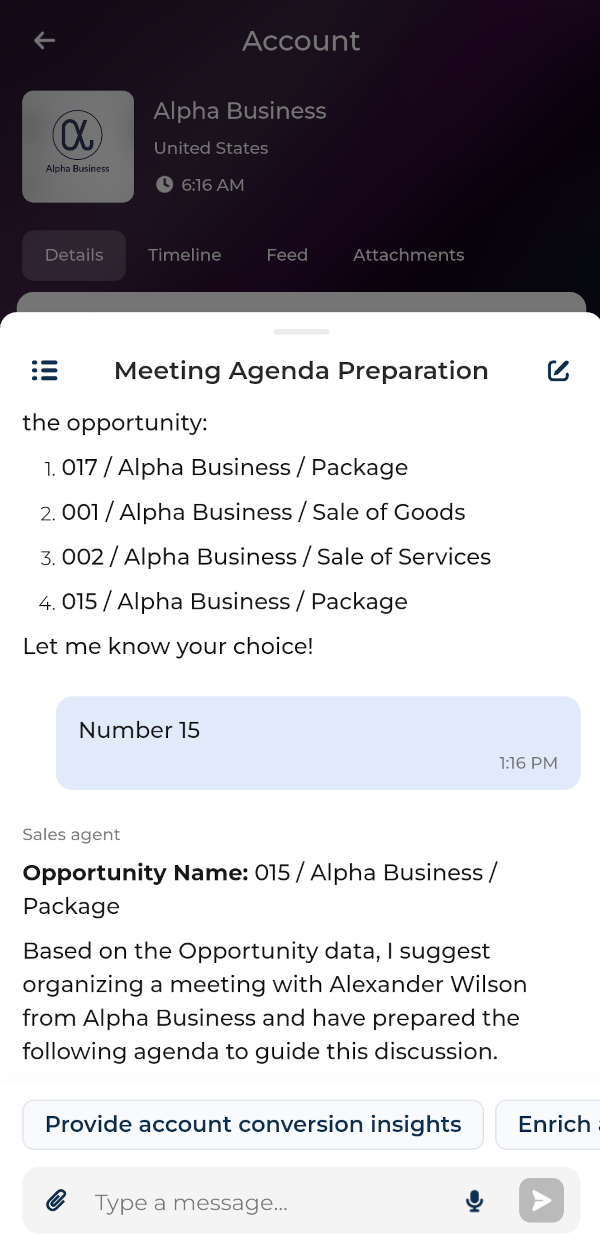
Interact with Creatio.ai in plain language using the dedicated chat. Each chat is handled by an AI Agent, an entity tailored to be the most efficient in particular area of Creatio. AI Agents can run AI Skills, special sequences of actions designed for achieving a specific goal, for example, summarizing opportunity or sending an email. No-code creators can customize or add new AI Agents and AI Skills in desktop Creatio.
Creatio.ai in Mobile Creatio works similarly to its desktop counterpart and supports all major features, including the following:
- upload files
- view attachments
- have multiple simultaneous chats
- tag specific AI Agents
However, the Creatio.ai workflow in Mobile Creatio has the following limitations:
- Mobile Creatio does not support displaying web UI elements to the user. This includes dialog messages, web pages, and any other UI components that require user interaction with the UI. As such, skills that rely on these elements will not function in Mobile Creatio.
- While business processes can be executed, they must be limited to backend logic only. If a process includes interactive elements, it will not work in Mobile Creatio. However, if the business process consists solely of data processing and requires no user interaction, it will run correctly, and the skill will function as intended.
To use Creatio.ai in Mobile Creatio:
- Open the Freedom UI page whose context you want to use.
- Tap the
 button at the bottom.
 - Enter your request in plain language or tap an AI Skill button at the bottom.