Get started with Creatio.ai
Creatio.ai is natively embedded AI functionality in the core of the Creatio Freedom UI platform. It is designed as a core pillar of Creatio to help you automate various routine tasks. Creatio.ai is embedded directly into CRM workflows, making AI a natural part of everyday business operations. AI in Creatio is part of the platform’s fabric, supporting you across sales, marketing, and service in a consistent, connected experience.
Each message you send to Creatio.ai is routed to an AI Agent, an entity aimed to automate a specific area of your workflow and ensure maximum efficiency in the process. AI Agents launch AI Skills, sets of actions that achieve specific business goals. Learn more about AI Agents and AI Skills available out of the box: AI Agent list, AI Skill list.
Click the  button in the top right to open the Creatio.ai chat panel and start working.
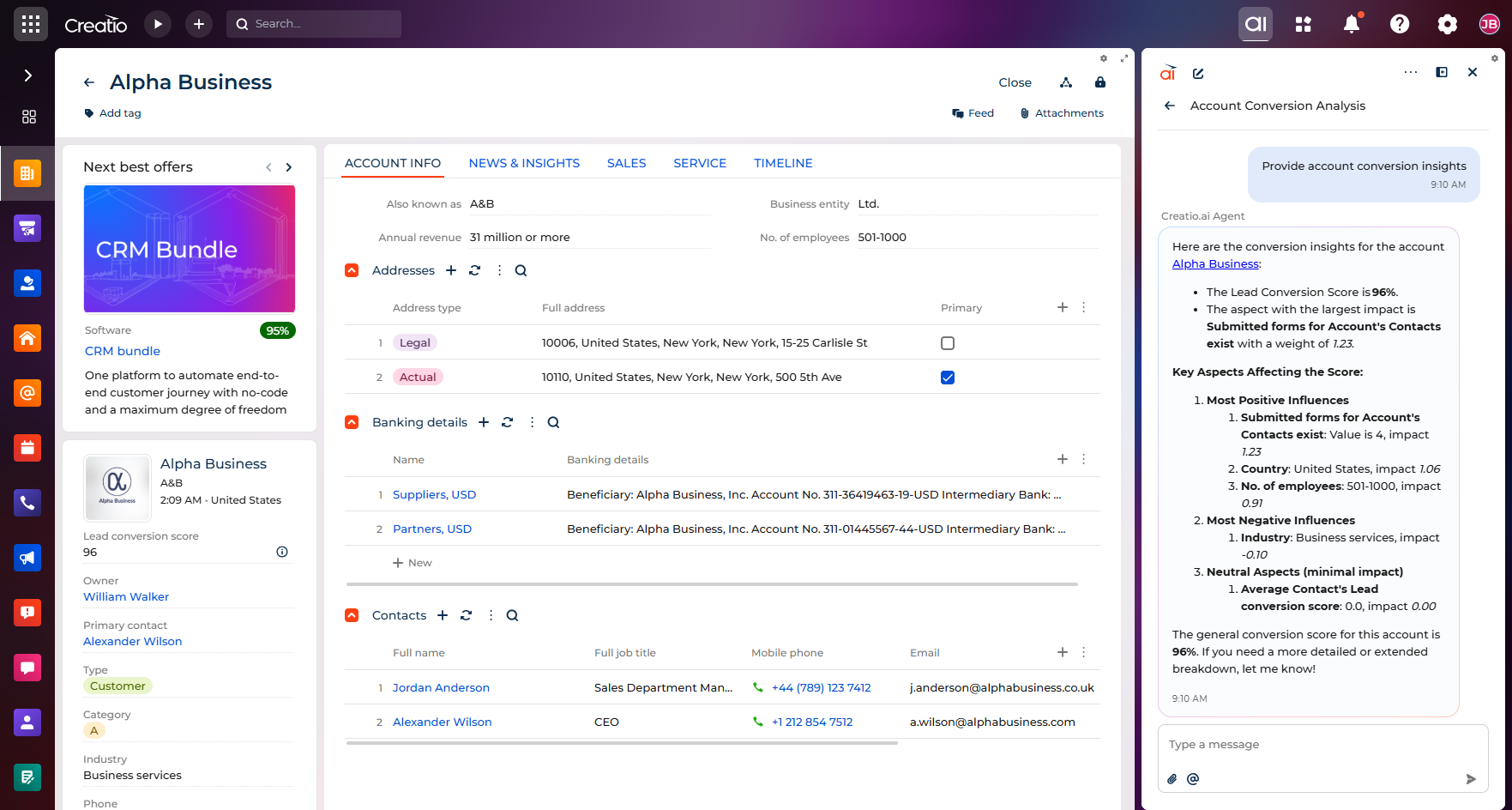
The exact AI Agents and AI Skills available depend on your Creatio product. For example, you can use Creatio.ai to prepare for a meeting, create a knowledge base page based on a resolved case, have a marketing email written, and more.
You can have multiple chat sessions with Creatio.ai, each with different context, rename specific chat sessions, and search in the chat panel to find specific conversations. Also, Creatio.ai remembers where you left off in each conversation. When switching between chats, reopening the panel, or refreshing the page, the scroll position is preserved, allowing you to continue from where you left off seamlessly.
Creatio.ai can add records and read data of open pages. Creatio.ai can also work with existing Creatio files, for example, documents related to records or mentioned in prompts, directly in Creatio.ai chat.
Creatio.ai understands the data model of your environment. This means you can ask natural-language questions about the platform data structure. Both you and AI Skills/Agents can access this knowledge to explain the model and automate tasks. A semantic index boosts natural-language queries across titles and descriptions. For example, you can do the following:
- Ask questions about the data model. For example, where specific data is stored, what a field means, or how tables connect.
- Ask questions about rich metadata. Creatio.ai understands database tables and column titles as well as descriptions.
- Ask about data relationships. Creatio.ai can follow direct table relationships (column-to-column links) to explain how objects connect.
- Search for lookup values. Creatio.ai can find lookup values and return both the display value and the internal ID for precise filters and automations.
You can also describe your analytical needs in natural language to generate fully configured widgets that contain appropriate data, filters, and visualization. Creatio.ai supports combinations of filters and aggregation functions, for example, count, sum, average, min, and max. You can use related table data in prompts using forward and backward references for filters and aggregated functions. All widget types except gauge, pipeline, and list widgets are supported.