Subscribe to AI news and insights for accounts
Creatio.ai helps you stay on top of key account developments by automatically delivering relevant news for up to 50 accounts. This allows sales and account teams to react faster to changes, prepare for customer interactions better, and make more informed strategic decisions, all without spending time on manual research. Subscriptions ensure continuous awareness, while reliable delivery guarantees that important insights are not missed. The delivery process includes audit logging and retry logic to ensure transparency, stability, and smooth troubleshooting.
Before you can use account data enrichment, system administrator must add the Gemini API key to the "Gemini API key" (GeminiApiKey code) system setting. Learn more about how to get your Gemini API key: official Google documentation.
You must be the account owner to activate this functionality. To get news and insights about an account:
-
Go to the Accounts section and open the relevant record.
-
Click the
 button to open Creatio.ai chat panel.
 -
Click the Account news and insights button in the Creatio.ai chat panel. (Fig. 1)
Fig. 1 Enable AI news and insights 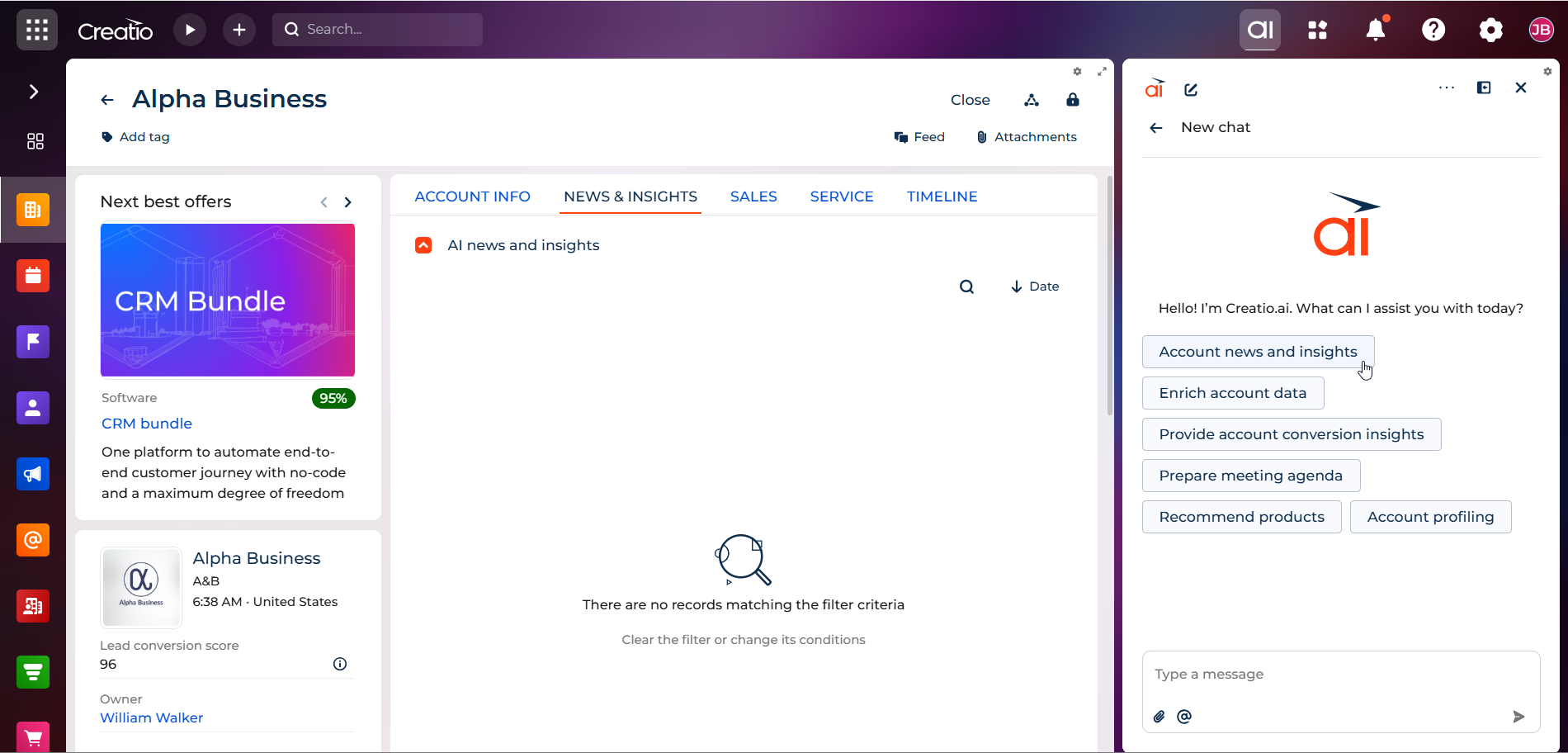
Creatio.ai will prepare an initial batch of 3-5 insights immediately and ask you whether you want to add them to the News & insights tab of the account page.
-
Confirm that you want to add the insights. Creatio.ai will add the initial insights and ask whether you want to receive more automatic updates weekly or monthly.
-
Specify how often you want to receive insights.
As a result, Creatio will subscribe the account to either monthly or weekly AI news and insights. You will be able to cancel the scheduled delivery in the original chat session at any time. If that session no longer exists, ask the system administrator to unsubscribe the account.
See also
Subscribe to AI news and insights for accounts
Using Gemini API keys (official Google documentation)